

One list for everything
Click Add Torrent on the toolbar to open a .torrent file, or use the arrow next to it for
Add magnet link.... A magnet link pasted into Add URL works too. Torrents land in the same
list as your other downloads, marked Torrent in the Source column, and go into queues and
the Scheduler like them.
The torrent engine is written in Rust, and every piece is checked against the torrent's fingerprint, so a peer can't slip in altered data.
Only the files you want
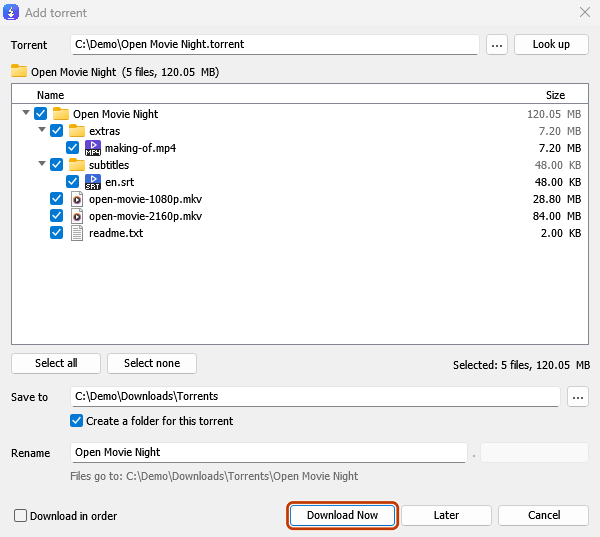
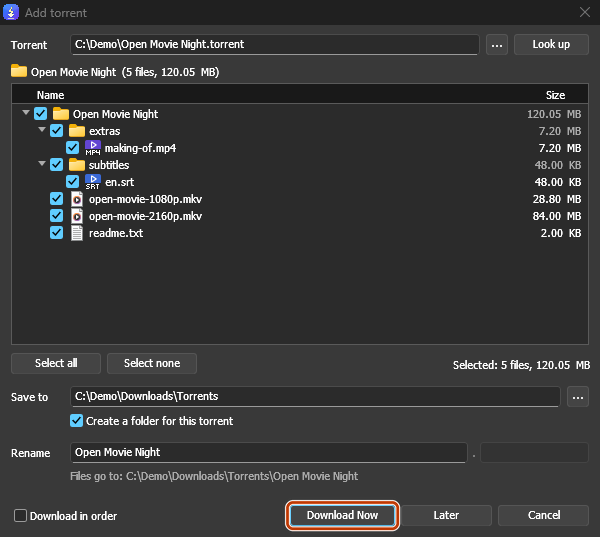
Add torrent shows the torrent's files as a folder tree. Untick what you don't need;
Selected shows how many files and how much data are left. Torrents have their own category
and folder, Downloads\Torrents by default.
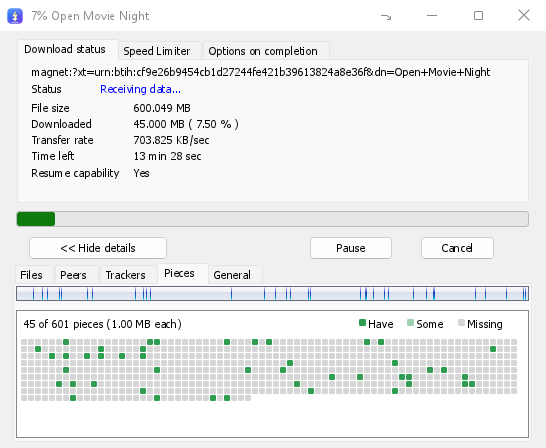
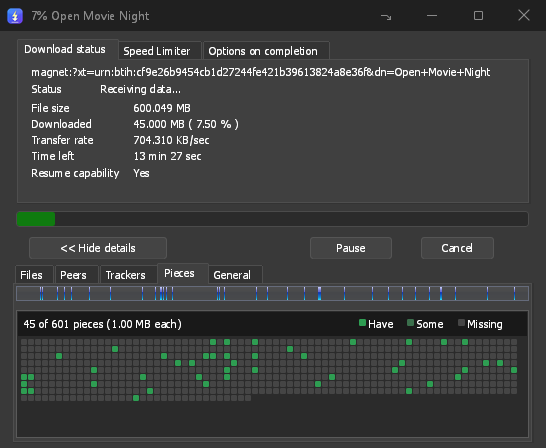
Double-click a torrent for its progress window. Its tabs show each file, the peers you get it from, the trackers, a map of the pieces, and the share ratio.
Sharing is your choice
A finished torrent stops, like any download. Turn on Keep sharing torrents after they finish in Tasks → Torrent settings... to go on uploading to others.
Plainly: everyone sharing the same torrent sees your IP address. That is how BitTorrent works, and no setting changes it. To hide it, use a VPN for the whole computer. Torrents and your security says what others can see.
More peers, from a public tracker list
An old torrent whose trackers went quiet can sit at zero peers. Turn on Add the trackers of
this public list to public torrents in Tasks → Torrent settings..., and your public
torrents, those already in your list and each one you add, also ask the trackers of
ngosang/trackerslist's best list, or of a list at an
address you choose. VDM fetches the list once a day, through your proxy and network adapter,
and keeps the last good copy, so adding a torrent never waits for it. Private torrents never get
them: they may only ask their own trackers. The command line's torrent-get follows the same
switch.
More control in version 0.5.0
- Download in order, to watch a video while it downloads, with each file's first and last pieces early. Other torrents fetch the rarest pieces first.
- Torrent commands in the right-click menu: Recheck files, Reannounce, Add trackers... and Copy magnet link. Files can be ticked and unticked while it runs.
- Limits: stop sharing at a share ratio or after some minutes, and cap what torrents send, all together or one by one.
- The network is yours to choose: incoming connections, UPnP, a fixed port, the DHT, local peers, a SOCKS5 proxy, an IP blocklist, and one network adapter (a VPN's) with a kill switch.
- Safer files: VDM asks before writing into files already in the folder, refuses names the system can't write safely, and marks the files as downloaded from the internet.
- RSS feeds that add new torrents by rule, and torrents sent to a debrid account instead of to peers.
Free, open source, no ads, no trial.
Download Volt Download Manager