

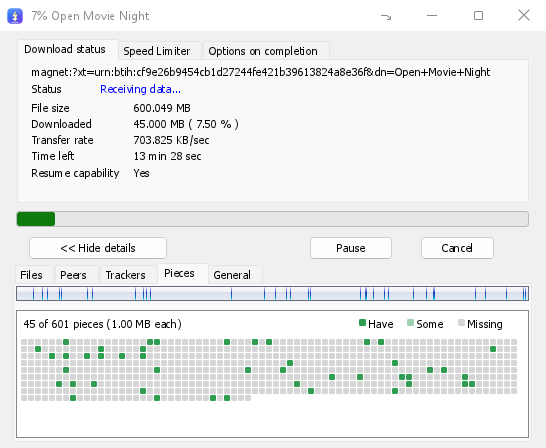
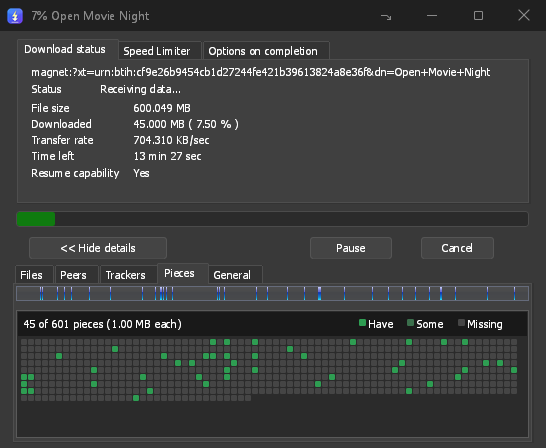
一个列表,管理所有下载
点击工具栏上的添加 Torrent以打开 .torrent 文件,或使用旁边的箭头选择添加磁力链接…。粘贴到添加 URL中的磁力链接也同样有效。种子会出现在您其他下载任务的同一列表中,在来源列中标记为种子,并像其他任务一样进入队列和计划程序。
种子引擎使用 Rust 编写,每个分块都会根据种子的指纹进行检查,因此对等点无法植入篡改过的数据。
只下载您需要的文件
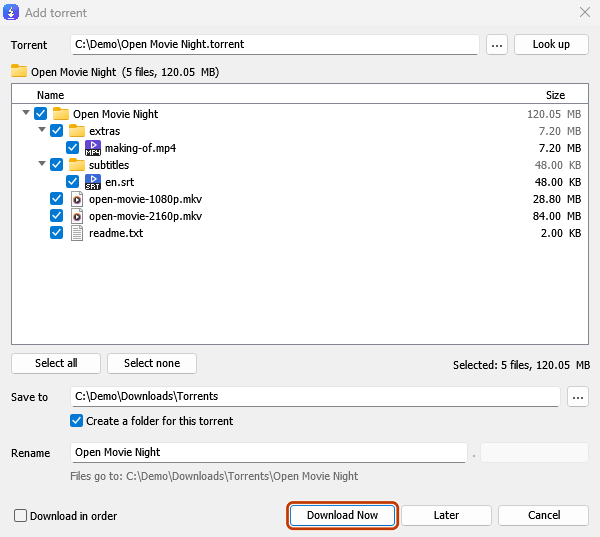
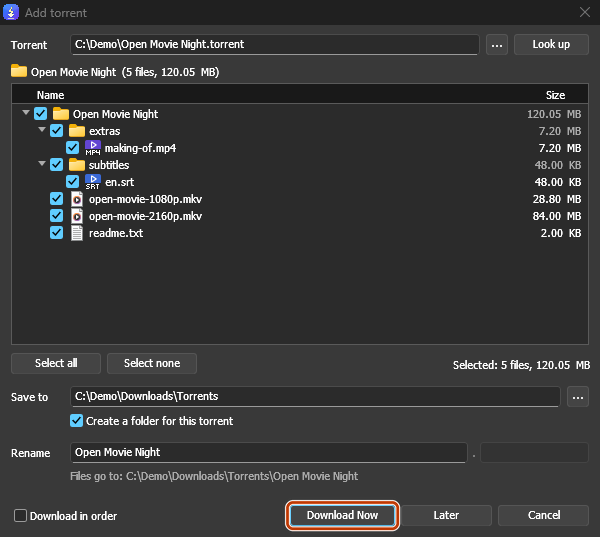
添加种子会以文件夹树的形式显示种子的文件。取消勾选您不需要的文件;已选择会显示还剩下多少文件和数据。种子有自己的类别和文件夹,Downloads\Torrents 默认。
双击一个种子可打开其进度窗口。其选项卡会显示每个文件、提供文件的对等点、跟踪器、分块图以及共享率。
共享由您选择
完成的种子会停止,就像任何下载一样。在任务 → 种子设置…中开启下载完成后继续共享种子,即可继续上传给其他人。
简单来说:所有共享同一种子的人都能看到您的 IP 地址。BitTorrent 的工作方式就是如此,任何设置都无法改变。要隐藏它,请为整台计算机使用 VPN。种子和您的安全说明了其他人可以看到什么。
从公共追踪器列表获取更多对等点
An old torrent whose trackers went quiet can sit at zero peers. Turn on Add the trackers of
this public list to public torrents in Tasks → Torrent settings..., and your public
torrents, those already in your list and each one you add, also ask the trackers of
ngosang/trackerslist's best list, or of a list at an
address you choose. VDM fetches the list once a day, through your proxy and network adapter,
and keeps the last good copy, so adding a torrent never waits for it. Private torrents never get
them: they may only ask their own trackers. The command line's torrent-get follows the same
switch.
0.5.0 版带来更多控制
- 按顺序下载,以便在视频下载时观看,每个文件的开头和结尾分块会优先下载。其他种子则优先获取最稀有的分块。
- 右键菜单中的种子命令:重新检查文件、重新发布、添加跟踪器…和复制磁力链接。在运行时可以勾选和取消勾选文件。
- 限制:达到共享率或经过一定时间后停止共享,并限制种子发送的总量,可以全部一起限制,也可以逐个限制。
- 网络由您选择:传入连接、UPnP、固定端口、DHT、本地对等点、SOCKS5 代理、IP 黑名单,以及带终止开关的一个网络适配器(VPN 的)。
- Safer files: VDM asks before writing into files already in the folder, refuses names the system can't write safely, and marks the files as downloaded from the internet.
- 根据规则添加新种子的RSS 源,以及发送到去限制账户而非对等点的种子。
免费、开源、无广告、无试用版。
Download Volt Download Manager