

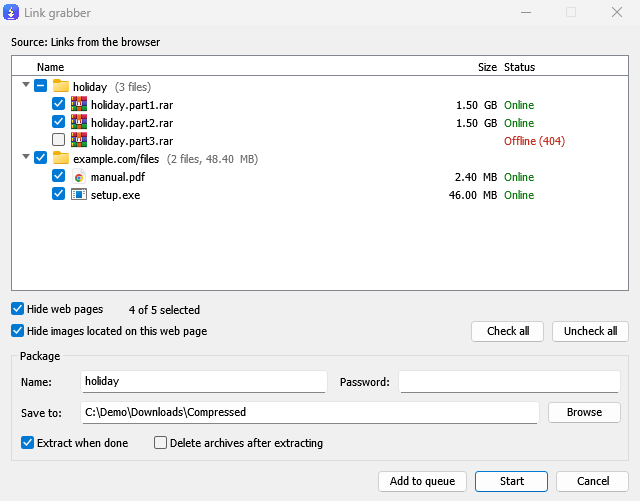
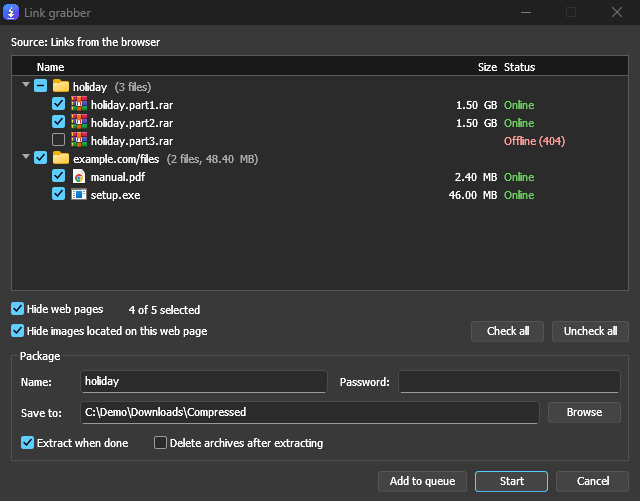
来自任何地方的链接
Right-click a page in the browser for Download all links with Volt Download Manager, or
select part of it for Download selected links with Volt Download Manager. The page's referrer and cookies go with each
link. You can also import a text file or an .ef2 export with Tasks → Import, drop a list on
the download list, or open Tasks → Link grabber... and paste any text with Ctrl+V: every
web address in it is added. Copied a list of links, or a forum post with links in it?
Tasks → Add batch download from clipboard (Ctrl+B) opens Link grabber with every http, ftp and
magnet link in the text, each once, ticked. A thunder://, flashget:// or qqdl:// link is
unwrapped to the address inside it.
已在下载列表中的链接会显示在已在列表中下方,且未被勾选。
模型、数据集和发布
粘贴 Hugging Face 模型或数据集的地址,或其中某个文件夹的地址,或 GitHub 发布的地址,“链接抓取器”会列出其中所有文件及其大小和所在文件夹,默认不选中。勾选您需要的文件:它们将作为一个组下载到一个以地址命名的文件夹中,并保留仓库的文件夹结构,每个文件都会根据网站发布的 SHA-256 进行校验。受限模型可使用您的 Hugging Face 访问令牌,该令牌保存在选项 → 站点登录中。请参阅模型、数据集和发布。
分类打包
一个分卷压缩包(movie.part1.rar、movie.part2.rar等)形成一个包,页面上的其他链接形成另一个包,其余的则归入各种文件。勾选一个包即可选择其所有链接。每个包都有自己的文件夹、压缩包密码和完成后提取选项。
开始会将勾选的链接添加到主下载队列并开始下载;添加到队列则只添加链接而不开始下载。
下载前检查
As links arrive, VDM asks each server about its file, a few at a time. Each link then shows its real name and size, and whether it is Online, Offline (404), Needs a login or Busy, try later. Offline links come unticked, so you don't queue what isn't there. Links to web pages are hidden by default.
一些文件主机将查找计为下载:请在选项 → 压缩包中关闭查找功能。
压缩包到达后解压
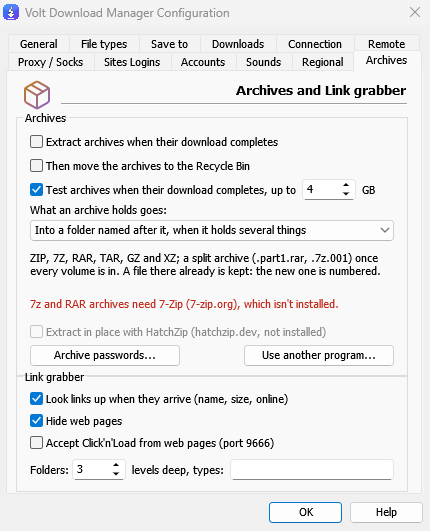
VDM extracts ZIP (encrypted ones too), TAR, TAR.GZ, TAR.XZ, GZ and XZ itself. 7z and RAR need 7-Zip, a free program: RAR's own extraction code can't be part of a free program like VDM. When 7-Zip isn't installed, a window says so, with a button to get it.
分卷压缩包在最后一个分卷到达后开始提取。提取过程非常谨慎:会导致文件超出文件夹的名称会被忽略,可能填满磁盘的压缩包会提前停止,并且绝不会覆盖现有文件。压缩包本身只有在您要求时才会移至回收站。
免费、开源、无广告、无试用版。
Download Volt Download Manager