

- Ana Sayfa
- Özellikler
- Tarayıcı uzantısı
Click a download. VDM takes it from there.
The free VDM extension hands each download you click over to VDM, with the page it came from and your sign-in for the site. A button over videos sends them to VDM too.
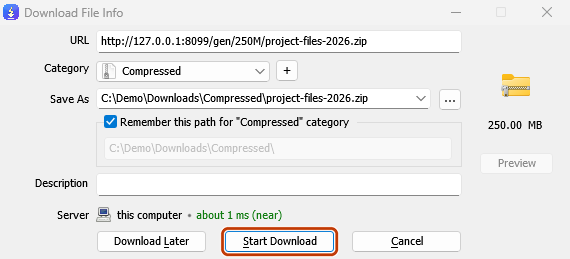
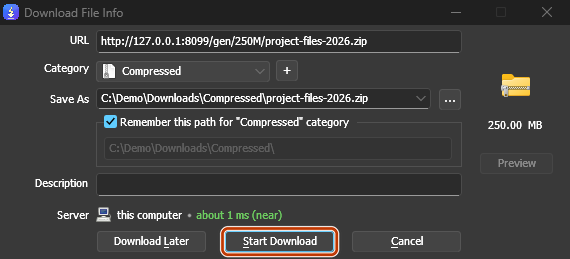
The browser's downloads, in VDM
Click a download link and Download File Info opens in VDM instead of the browser's own download bar. VDM gets the address together with the page it came from, your cookies for the site and the browser's User-Agent, so a download that needs you to be signed in still works. The browser's copy is cancelled and taken off its download list.
You decide what VDM takes. Options → File types lists the file types it catches (ZIP, RAR, EXE, ISO, MP4, PDF and many more) and the sites it leaves alone, and Options → General has the browsers it takes downloads from. Everything else stays with the browser.
VDM doesn't need to be running first: the browser starts it. If VDM can't be reached at all, the download stays with the browser, so nothing is lost.
Sağ tıklayın veya videonun üzerindeki düğme
Right-click a link, a picture, a video or a sound and choose Download with Mister Download Manager: VDM downloads it whatever its type.
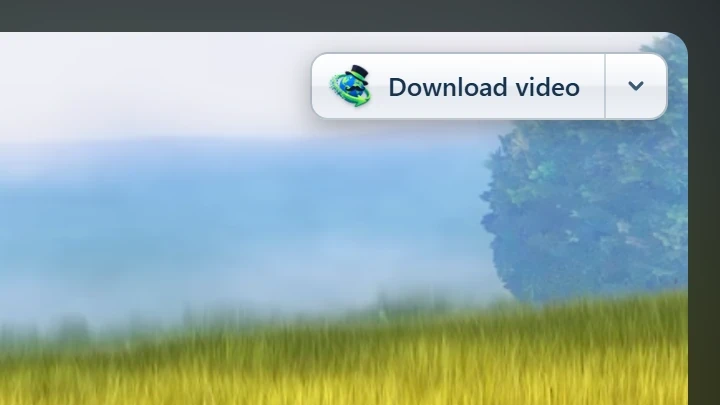
Point at a video and a small Download video button appears at its edge. It opens VDM's Download video from a page window with the qualities on offer (see video downloads). On many pages it finds the video before it plays, from the stream address the page wrote for its player. You can hide it on one video or one site, or turn it off in Options.
Bir sayfadaki tüm görseller
To save a whole gallery, open the toolbar button's This page tab and click Find images. The extension finds each picture the page shows at the largest size the page lists for it, the ones it loads only as you scroll, and links that go straight to a picture, each once. Leave out icons and thumbnails with a smallest width and height, and any type you don't want (JPEG, PNG, WebP, GIF, AVIF...), then Send to Link grabber: VDM looks each one up for its name and size, and you tick there the ones to download. Nothing is looked for until you click.
Bir sayfaya sağ tıklayarak Tüm bağlantıları indir (veya bir seçime sağ tıklayarak Seçili bağlantıları indir) seçeneğini kullandığınızda, sayfadaki resimler de gelir: Bağlantı yakalayıcı, onları Bu web sayfasında bulunan resimleri gizle altında gizli tutar. Sayfanın bağlantılarıyla birlikte seçmek için bu seçeneğin işaretini kaldırın.
Mağazadan yüklendi, güncel tutuldu
Install VDM with its setup and keep Set up browser integration ticked. Then add the extension: Firefox 140 or later takes it from addons.mozilla.org, and Chrome, Edge, Brave, Opera and Vivaldi from the Chrome Web Store. The browser keeps it updated.
Bazı sınırlamalar: Taşınabilir sürüm, kendi klasörü dışına hiçbir şey yazmadığı için tarayıcıya bağlanamaz.
Tarayıcıdan daha fazlası, sürüm 0.5.0
- The toolbar button says whether the browser reaches VDM, and How to fix it opens the help for the reason. When a setting leaves a download to the browser (its type isn't in File types, its site is excluded, it's under the minimum size), the button names the setting and the file, and VDM's log keeps a line for each.
- Bu sayfadaki medya, bir sayfanın yüklediği video akışlarını ve video ve ses dosyalarını listeler, böylece bağlantısı olmayan bir video bile kaydedilebilir. Kopyalama korumalı akışlar Korumalı olarak listelenir ve asla gönderilmez.
- Tüm bağlantıları indir ve Seçili bağlantıları indir bir sayfanın bağlantılarını Bağlantı yakalayıcı'ya gönderir.
- PDFs, music and videos the browser would open itself, and downloads from forms, go to VDM too. Hold Alt while clicking to let the browser have one.
- Browsers built on Firefox or Chromium, such as Zen, LibreWolf, Floorp, Waterfox and Helium, reach VDM. Flatpak browsers on Linux can't start VDM's helper.
- Test browser integration... in Options → General checks VDM's side.
Ücretsiz, açık kaynak, reklamsız, deneme sürümü yok.
Download Volt Download Manager