

पोर्टेबल कॉपी सीधे USB स्टिक से चलती है और अपनी सूची और सेटिंग्स वहीं रखती है। कुछ सेटिंग्स बदलकर, आप अपने डाउनलोड भी स्टिक पर सहेज सकते हैं।
1. Put VDM on the stick
- रिलीज़ से
VoltDownloadManager-<version>-portable.zipडाउनलोड करें। - इसे स्टिक पर अनज़िप करें, उदाहरण के लिए
E:\VDMपर। - Check that there is a
datafolder next tovoltdownloadmanager.exe. That folder is what makes VDM portable. Don't delete it. voltdownloadmanager.exeचलाएँ और अपनी भाषा चुनें।
2. डाउनलोड को स्टिक पर सहेजें
डिफ़ॉल्ट रूप से, डाउनलोड आपके द्वारा उपयोग किए जा रहे कंप्यूटर के डाउनलोड फ़ोल्डर में जाते हैं। उन्हें स्टिक पर रखने के लिए:
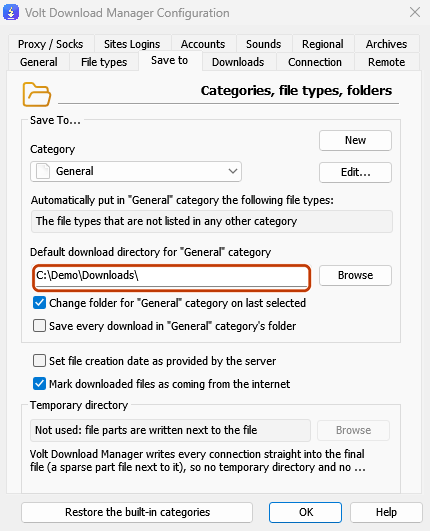
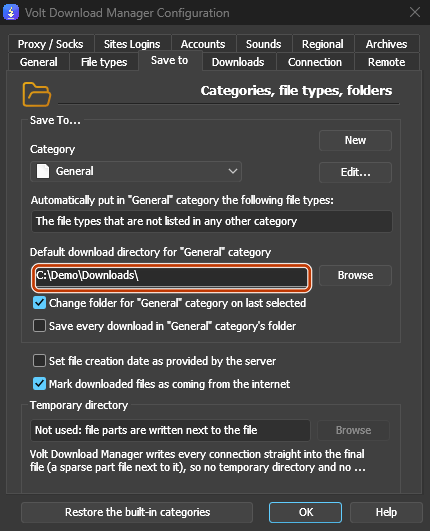
- डाउनलोड → विकल्प और इसमें सहेजें टैब खोलें।
- श्रेणी के तहत, सामान्य चुनें।
- "सामान्य" श्रेणी के लिए डिफ़ॉल्ट डाउनलोड निर्देशिका में, ब्राउज़ करें पर क्लिक करें और स्टिक पर एक फ़ोल्डर चुनें, उदाहरण के लिए
E:\Downloads। - अगली श्रेणी (संपीड़ित, दस्तावेज़, संगीत, प्रोग्राम, वीडियो, टॉरेंट) चुनें और वही करें, उदाहरण के लिए
E:\Downloads\Video। - ठीक है पर क्लिक करें।
3. इसका उपयोग करें
- URL जोड़ें, क्लिपबोर्ड (विकल्प → सामान्य → क्लिपबोर्ड पर कॉपी किए गए लिंक डाउनलोड करने की पेशकश करें) या ड्रॉप लक्ष्य (कार्य → ड्रॉप लक्ष्य दिखाएँ(d)) के साथ डाउनलोड जोड़ें।
- ब्राउज़र एक्सटेंशन पोर्टेबल कॉपी पर डाउनलोड नहीं भेज सकता, क्योंकि उसके लिए इंस्टॉलर की आवश्यकता होती है।
- Before you unplug the stick, quit VDM with Tasks → Exit so it saves everything. Closing the window only hides it in the tray.
दूसरे कंप्यूटर पर
Windows may give the stick another drive letter, such as F: instead of E:. The folders you set, and the downloads already in the list, still point at the old letter. Check Options → Save to and change the folders if needed. When VDM is about to save into a folder that doesn't exist, it asks whether to create it.
अगले चरण
मुफ़्त, ओपन सोर्स, कोई विज्ञापन नहीं, कोई ट्रायल नहीं।
Download Volt Download Manager