

- Strona główna
- Funkcje
- Pobieranie wideo
Wklej adres strony z filmem. Wybierz jakość.
VDM downloads videos from their web pages with yt-dlp, the open-source tool whose community keeps it working as sites change. You pick the quality; the video joins your other downloads.
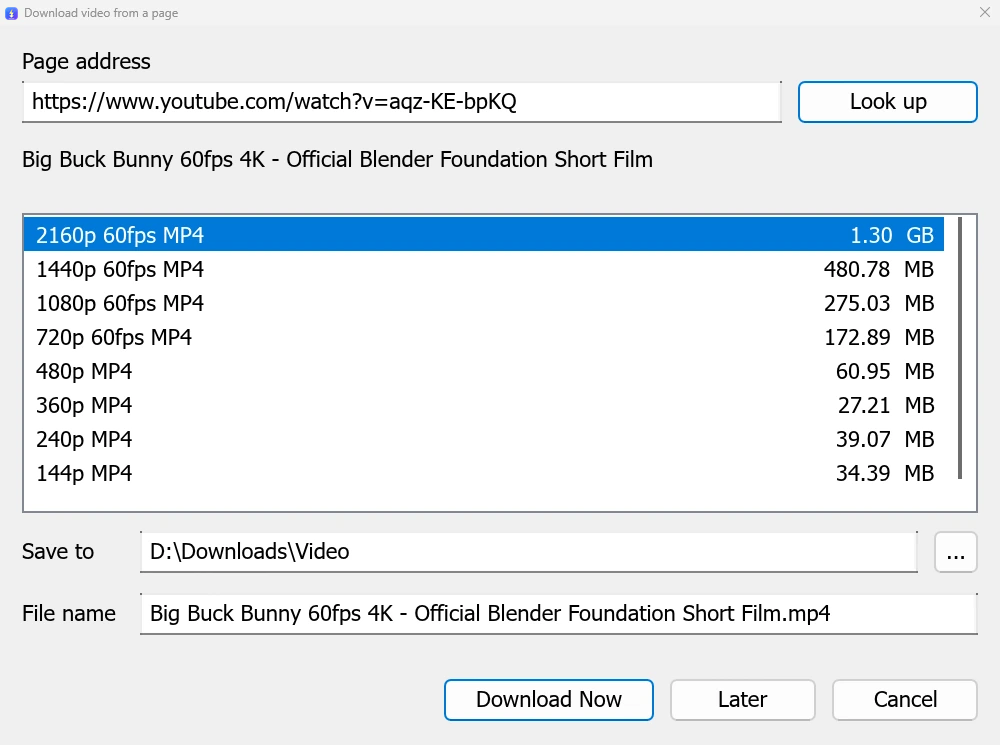
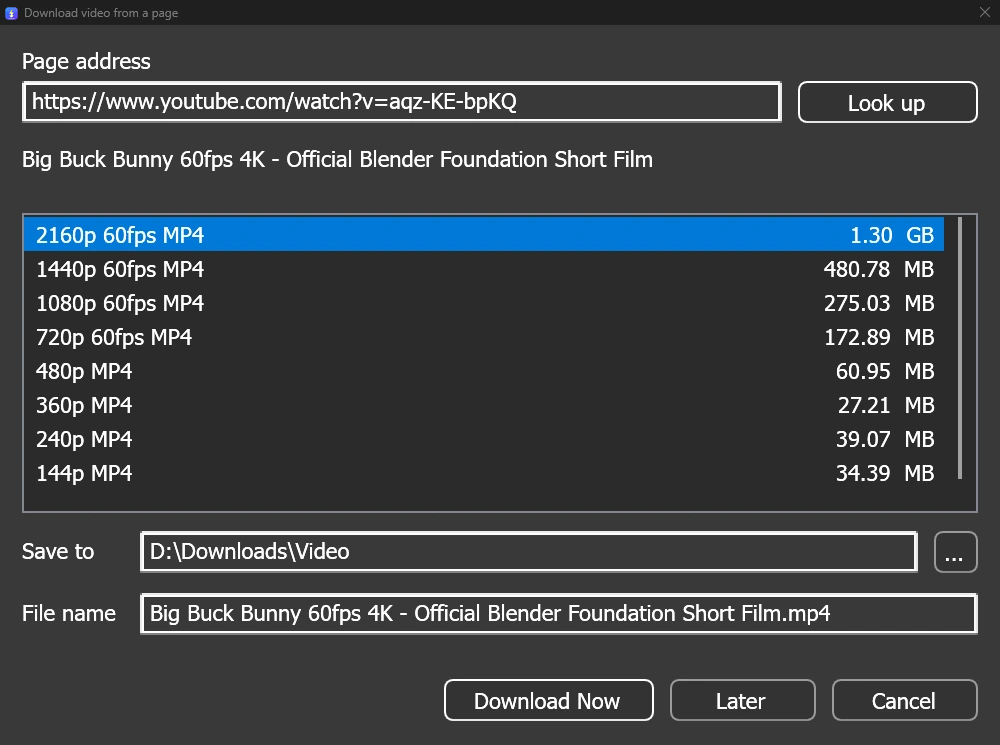
Jedno okno dla każdej strony z filmem
Give a video's page address to Add URL (Ctrl+N) and VDM sees that it is a video page: Download video from a page opens and looks it up. YouTube, Vimeo, Dailymotion, Twitch, TikTok, Instagram, Reddit and well over a thousand other sites work. With the browser extension, the button over a video opens the same window.
Lista pokazuje każdą jakość z jej rozmiarem, najlepsze na początku, a sam dźwięk na końcu. Sprawdź Zapisz w i Nazwa pliku, a następnie kliknij Pobierz teraz lub Później, aby dodać do listy do późniejszego pobrania. Film otrzymuje własny wiersz i okno postępu, tak jak każde inne pobieranie.
Dwóch pomocników, sprawdzanych przed użyciem
VDM doesn't do this alone, and doesn't pretend to. yt-dlp reads the page and downloads the video. ffmpeg joins the picture and the sound when a site keeps them apart, which most sites do for their higher qualities. VDM offers both on its first start and downloads them from their official releases, checked against what their publishers sign before it uses them. On Linux and macOS VDM uses the system's ffmpeg.
Bez ffmpeg nadal otrzymujesz jakości, które zawierają dźwięk.
Czego nie zrobi
Videos protected with DRM, as most paid streaming services use, can't be downloaded, and VDM doesn't try. Downloading may be against some sites' terms: checking that is up to you.
Sites change often, and a newer yt-dlp usually fixes a video that stopped working. VDM doesn't update yt-dlp on its own yet; the help shows how to get the newest one.
Listy odtwarzania, napisy i MP3
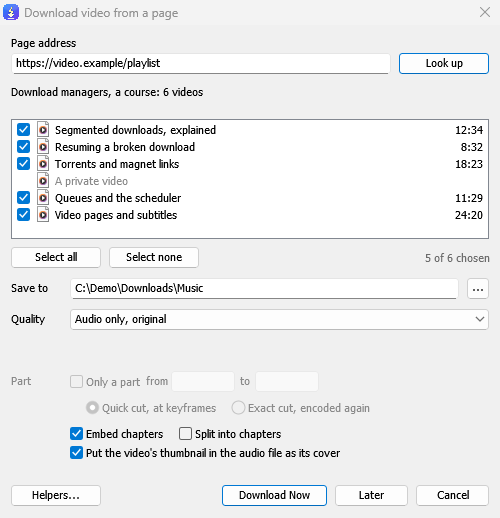
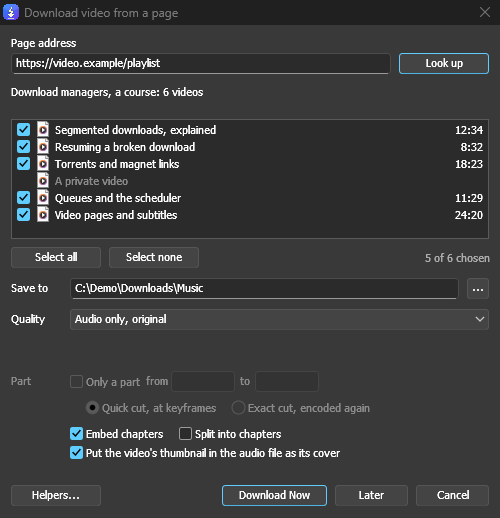
- Listy odtwarzania i kanały: wklej adres listy odtwarzania lub kanału, a okno wyświetli listę filmów, wszystkie zaznaczone. Jedna jakość dotyczy wszystkich, a filmy trafiają do folderu nazwanego tak jak lista. Kanał jest listowany po 50 filmów naraz, z opcją Wczytaj więcej.
- Napisy: najpierw języki przesłane przez autora, potem automatyczne napisy witryny. Są zapisywane obok filmu lub umieszczane w pliku MP4 lub MKV za pomocą ffmpeg.
- Sam dźwięk: Tylko dźwięk MP3 w najlepszej zmiennej przepływności lub 320, 256, 192 lub 128 kbps, Tylko dźwięk OPUS i Tylko dźwięk FLAC, z uczciwą uwagą, że FLAC nie może dodać jakości, której dźwięk witryny nie posiada.
- Videos that need you signed in: the button over the video hands VDM the page's own cookies, so you're signed in as in the browser. For pasted links and playlists, Options → Sites Logins → Cookies for video sites lets yt-dlp read a browser's cookies, from the profile you choose: a separate one with a spare account works well. Chrome, Edge and Brave lock theirs on Windows, and the window says so; Firefox works. The help says more.
- Własne yt-dlp i ffmpeg: Pomocnicy... przyjmuje kopię, którą już posiadasz.
Darmowy, open source, bez reklam, bez wersji próbnej.
Download Volt Download Manager