

- Home
- Funzionalità
- Download video
Incolla la pagina di un video. Scegli la qualità.
VDM downloads videos from their web pages with yt-dlp, the open-source tool whose community keeps it working as sites change. You pick the quality; the video joins your other downloads.
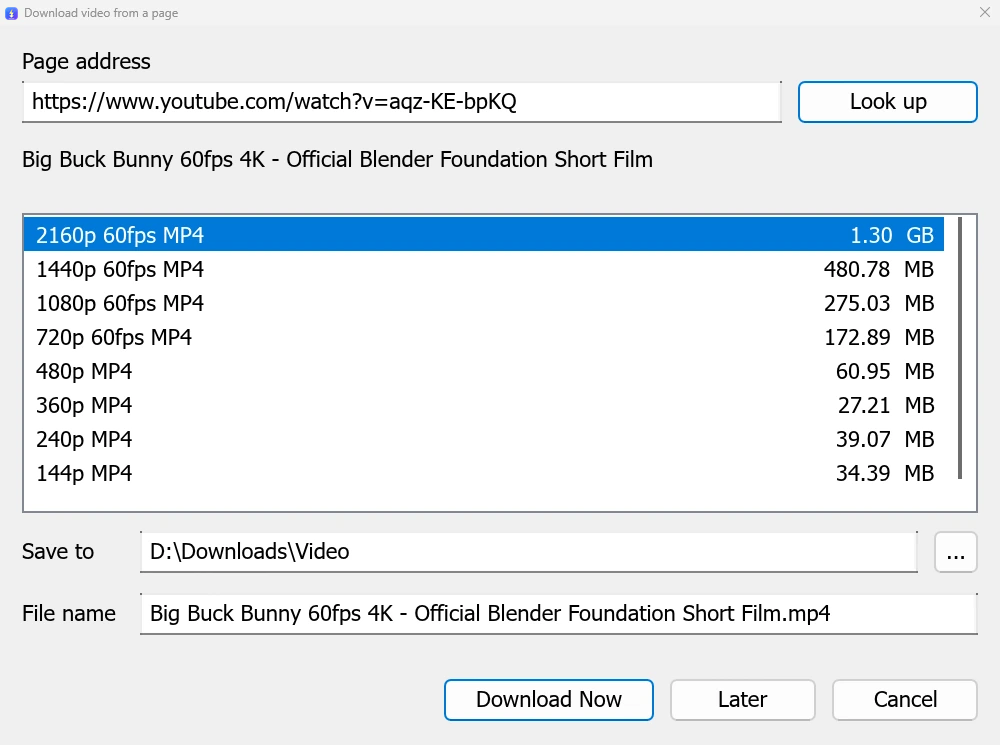
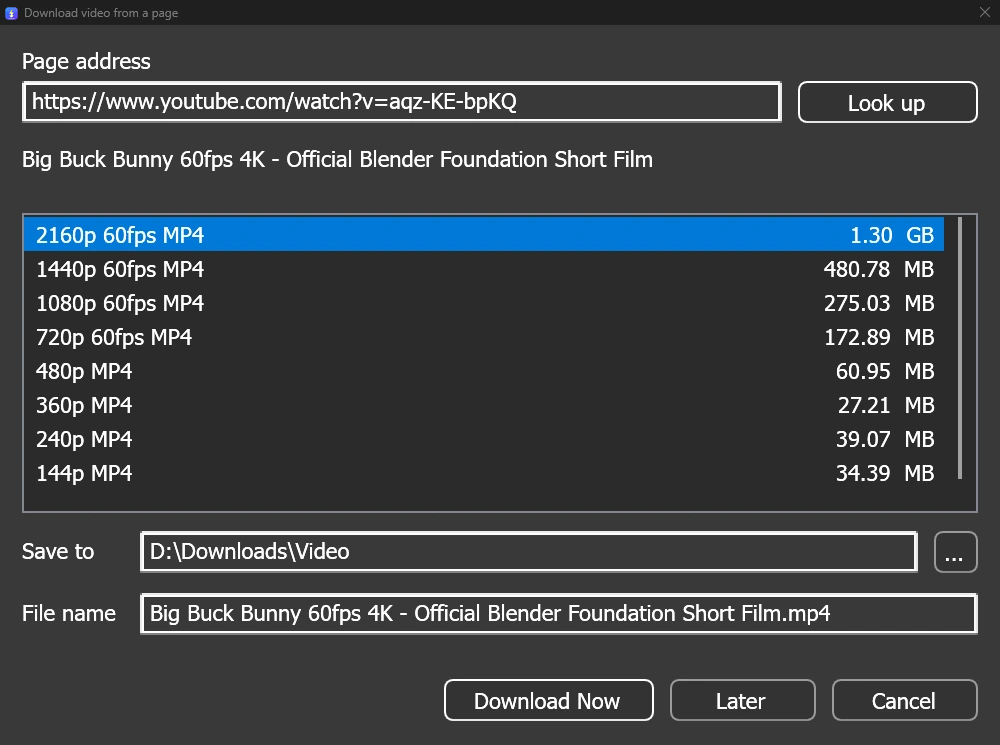
Una finestra per ogni pagina video
Give a video's page address to Add URL (Ctrl+N) and VDM sees that it is a video page: Download video from a page opens and looks it up. YouTube, Vimeo, Dailymotion, Twitch, TikTok, Instagram, Reddit and well over a thousand other sites work. With the browser extension, the button over a video opens the same window.
L'elenco mostra ogni qualità con la sua dimensione, la migliore per prima, e solo l'audio alla fine. Controlla Salva in e Nome file, poi fai clic su Scarica ora, oppure su Più tardi per metterlo nell'elenco per dopo. Il video avrà la sua riga e la sua finestra di avanzamento, come qualsiasi altro download.
Due programmi di supporto, verificati prima dell'uso
VDM doesn't do this alone, and doesn't pretend to. yt-dlp reads the page and downloads the video. ffmpeg joins the picture and the sound when a site keeps them apart, which most sites do for their higher qualities. VDM offers both on its first start and downloads them from their official releases, checked against what their publishers sign before it uses them. On Linux and macOS VDM uses the system's ffmpeg.
Senza ffmpeg ottieni comunque le qualità che includono già l'audio.
Cosa non fa
Videos protected with DRM, as most paid streaming services use, can't be downloaded, and VDM doesn't try. Downloading may be against some sites' terms: checking that is up to you.
Sites change often, and a newer yt-dlp usually fixes a video that stopped working. VDM doesn't update yt-dlp on its own yet; the help shows how to get the newest one.
Playlist, sottotitoli e MP3
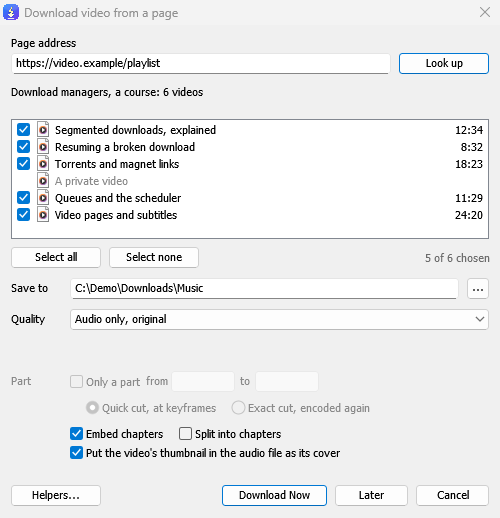
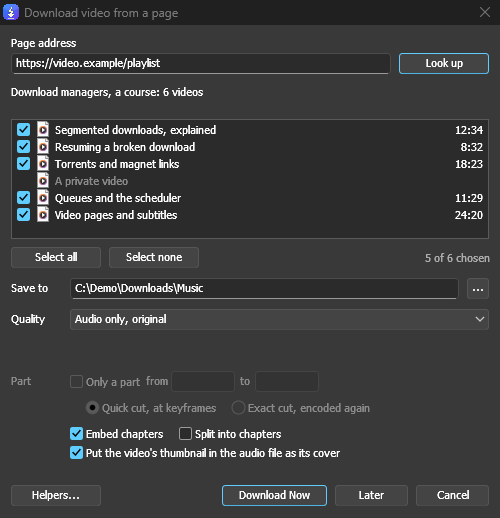
- Playlist e canali: incolla l'indirizzo di una playlist o di un canale e la finestra elencherà i suoi video, tutti selezionati. Una qualità si applica a tutti e vanno in una cartella con il nome dell'elenco. I video di un canale vengono elencati 50 alla volta, con Carica altro.
- Sottotitoli: prima le lingue caricate dall'autore, poi i sottotitoli automatici del sito. Vengono salvati accanto al video, oppure inseriti in un file MP4 o MKV con ffmpeg.
- Solo l'audio: Solo audio MP3 al suo miglior bitrate variabile o a 320, 256, 192 o 128 kbps, Solo audio OPUS e Solo audio FLAC, con una nota che avverte che FLAC non può aggiungere qualità che l'audio del sito non ha.
- Videos that need you signed in: the button over the video hands VDM the page's own cookies, so you're signed in as in the browser. For pasted links and playlists, Options → Sites Logins → Cookies for video sites lets yt-dlp read a browser's cookies, from the profile you choose: a separate one with a spare account works well. Chrome, Edge and Brave lock theirs on Windows, and the window says so; Firefox works. The help says more.
- I tuoi yt-dlp e ffmpeg: Programmi di supporto... accetta una copia che hai già.
Gratuito, open source, senza pubblicità, senza periodo di prova.
Download Volt Download Manager