

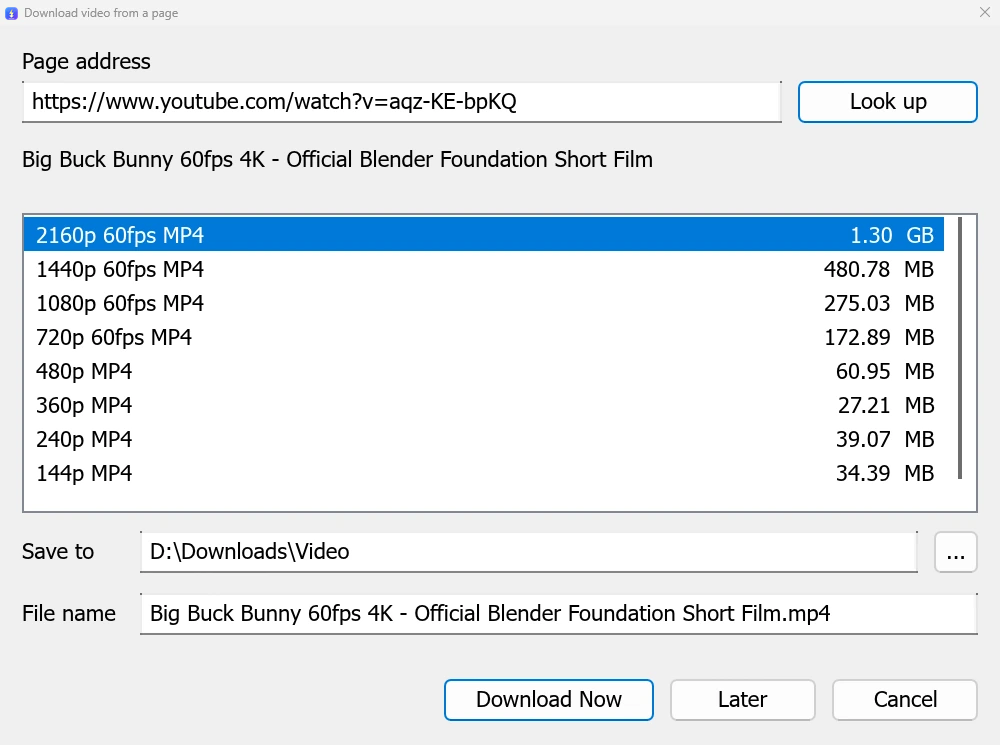
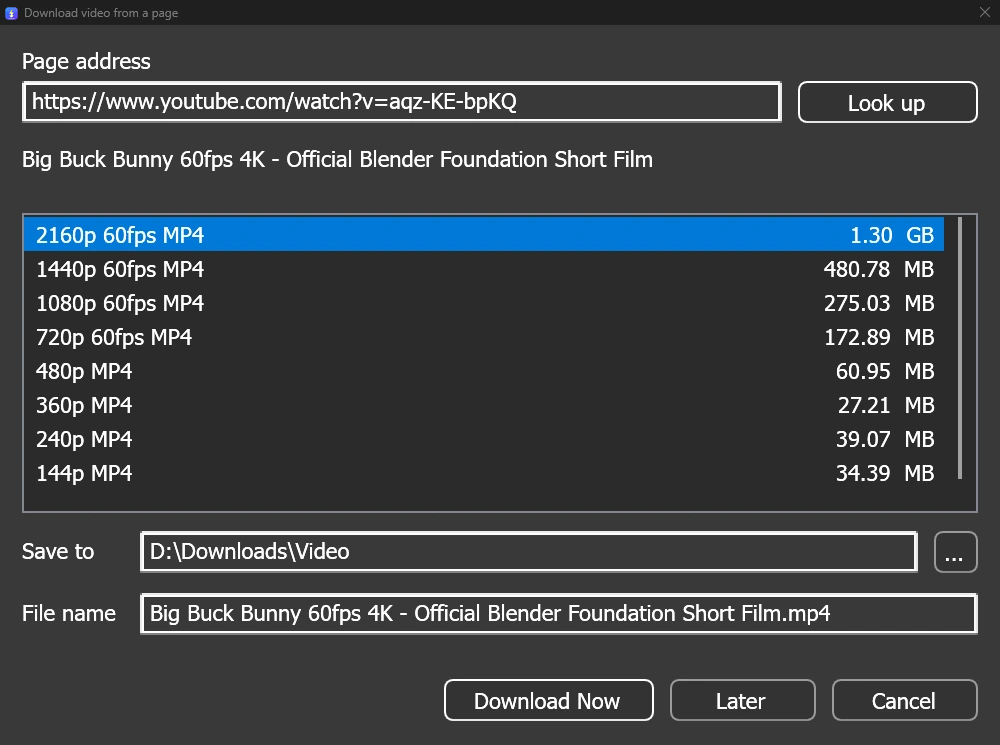
যেকোনো ভিডিও পৃষ্ঠার জন্য একটি উইন্ডো
Give a video's page address to Add URL (Ctrl+N) and VDM sees that it is a video page: Download video from a page opens and looks it up. YouTube, Vimeo, Dailymotion, Twitch, TikTok, Instagram, Reddit and well over a thousand other sites work. With the browser extension, the button over a video opens the same window.
তালিকাটি প্রতিটি গুণমানকে তার আকার সহ দেখায়, সেরাটি প্রথমে এবং শেষে শুধু শব্দ। এতে সংরক্ষণ করুন এবং ফাইলের নাম পরীক্ষা করুন, তারপর এখনই ডাউনলোড করুন ক্লিক করুন, অথবা পরে ক্লিক করে এটি পরে ডাউনলোডের জন্য তালিকায় রাখুন। ভিডিওটি অন্য যেকোনো ডাউনলোডের মতো নিজস্ব সারি এবং অগ্রগতি উইন্ডো পাবে।
দুটি হেল্পার, ব্যবহারের আগে যাচাই করা হয়
VDM doesn't do this alone, and doesn't pretend to. yt-dlp reads the page and downloads the video. ffmpeg joins the picture and the sound when a site keeps them apart, which most sites do for their higher qualities. VDM offers both on its first start and downloads them from their official releases, checked against what their publishers sign before it uses them. On Linux and macOS VDM uses the system's ffmpeg.
ffmpeg ছাড়া আপনি এখনও সেই গুণমানগুলি পাবেন যেগুলি তাদের শব্দ সহ আসে।
যা এটি করবে না
Videos protected with DRM, as most paid streaming services use, can't be downloaded, and VDM doesn't try. Downloading may be against some sites' terms: checking that is up to you.
Sites change often, and a newer yt-dlp usually fixes a video that stopped working. VDM doesn't update yt-dlp on its own yet; the help shows how to get the newest one.
প্লেলিস্ট, সাবটাইটেল এবং MP3
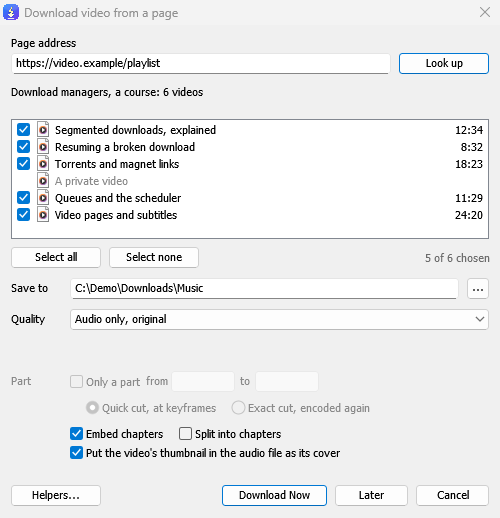
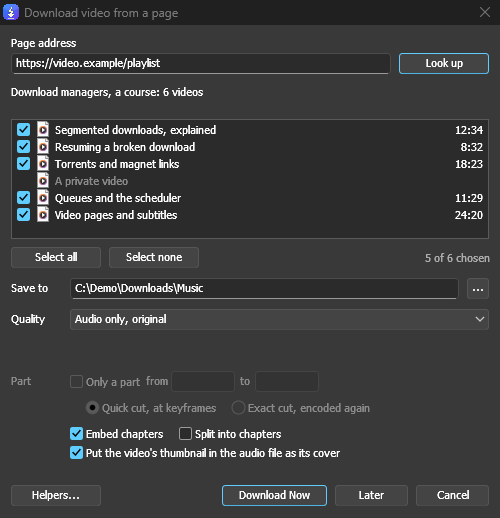
- প্লেলিস্ট এবং চ্যানেল: একটি প্লেলিস্ট বা চ্যানেলের ঠিকানা পেস্ট করুন এবং উইন্ডোটি তার ভিডিওগুলি তালিকাভুক্ত করবে, সবগুলি টিক দেওয়া থাকবে। একটি গুণমান সেগুলির সবগুলিতে প্রযোজ্য হবে এবং সেগুলি তালিকার নামে একটি ফোল্ডারে যাবে। একটি চ্যানেল একবারে 50টি ভিডিও তালিকাভুক্ত করে, আরও লোড করুন সহ।
- সাবটাইটেল: প্রথমে আপলোডকারীর ভাষা, তারপর সাইটের স্বয়ংক্রিয় ক্যাপশন। এগুলি ভিডিওর পাশে সংরক্ষণ করা হয়, অথবা ffmpeg ব্যবহার করে একটি MP4 বা MKV ফাইলের ভিতরে রাখা হয়।
- শুধু শব্দ: শুধুমাত্র অডিও MP3 তার সেরা পরিবর্তনশীল বিটরেটে বা 320, 256, 192 বা 128 kbps-এ, শুধুমাত্র অডিও OPUS, এবং শুধুমাত্র অডিও FLAC, একটি সৎ নোট সহ যে FLAC সাইটের শব্দের যে গুণমান নেই তা যোগ করতে পারে না।
- Videos that need you signed in: the button over the video hands VDM the page's own cookies, so you're signed in as in the browser. For pasted links and playlists, Options → Sites Logins → Cookies for video sites lets yt-dlp read a browser's cookies, from the profile you choose: a separate one with a spare account works well. Chrome, Edge and Brave lock theirs on Windows, and the window says so; Firefox works. The help says more.
- আপনার নিজস্ব yt-dlp এবং ffmpeg: হেল্পার... আপনার কাছে ইতিমধ্যে থাকা একটি কপি নেয়।
বিনামূল্যে, ওপেন সোর্স, কোনো বিজ্ঞাপন নেই, কোনো ট্রায়াল নেই।
Download Volt Download Manager