

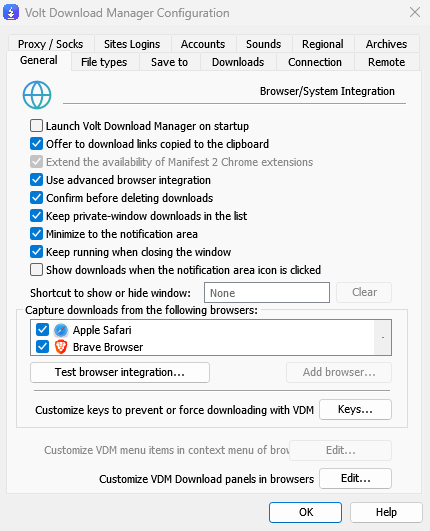
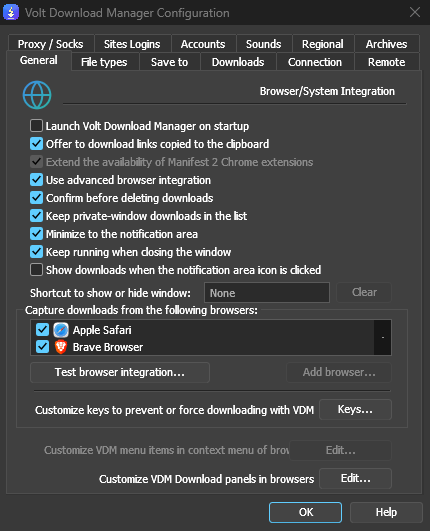
邪魔にならずにコンピューターと同時に起動
Tick Launch Volt Download Manager on startup in Options → General and VDM starts when you sign in, hidden, its icon in the notification area. Its downloads, queues, the Scheduler and downloads from the browser all run from there. Click the icon, or start VDM again, and the window opens as usual.
The option is off until you tick it. On Linux and macOS VDM starts with your session the same way. A portable copy can't start with Windows, since that needs the registry, so the option is greyed there.
ワンクリックでダウンロード ウィンドウを隠す
ダウンロードの進行状況ウィンドウには、隅に下向きの矢印が付いた短いダッシュの通知領域に隠すボタンがあります。Windows では、タイトル バーの最小化の左側にあり、タイトル バーのメニュー (Alt+Space) にもあります。Linux と macOS では、タブ行の最後にあります。ダウンロードは継続されます。
再度表示するには、トレイ アイコンを右クリックし、実行中のすべてのダウンロードを一覧表示する進行中のダウンロードの下で選択します。リスト内のダウンロードをダブルクリックしても、ウィンドウが戻ります。
最小化でもウィンドウをトレイに送る
With Minimize to the notification area on in Options → General (it is on by default), Minimize hides the main window, and a progress window, in the notification area instead of leaving them on the taskbar. Closing the main window does the same: VDM keeps running until you choose Tasks → Exit or Exit in the tray menu.
タスク バーのメニューには、新しいダウンロードを追加、バッチ ダウンロードを追加、クリップボードからバッチ ダウンロードを追加、速度制限、スケジューラ、メインのダウンロード キュー、オプションもあります。
ゲームやプレゼンテーションの邪魔をしません
While a full-screen game, a film or a presentation is on, or the screen is locked, Download complete and VDM's other windows that come up by themselves wait. The download finishes as usual; its window shows when you're back, and several show one after the other, in the order they came. The tray icon's tip says how many wait. A link you click in the browser still opens at once. To have them show at once anyway, untick Don't show pop-ups while a full-screen app or presentation is running in Options → Downloads.
待機中は軽量
Hidden in the notification area, VDM hands the memory it isn't using back to the system. Task Manager's Memory for VDM drops from about 50 MB to under 10 MB there, and VDM gives memory back again every 10 minutes while it stays hidden. On Linux it does the same with its free memory.
トレイがない場合
All of this needs a notification area that shows VDM's icon. Windows and macOS have one, and so do most Linux desktops (KDE, GNOME with its AppIndicator extension, waybar's tray). On a desktop without one, VDM starts minimized instead, closing the window quits VDM, and Minimize to the notification area is greyed. In a Wayland session the main window stays minimized in the dock, because Wayland can't hide a window.
無料、オープンソース、広告なし、試用期間なし。
Download Volt Download Manager