

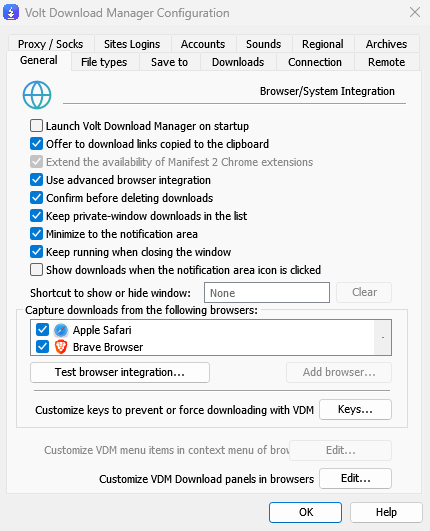
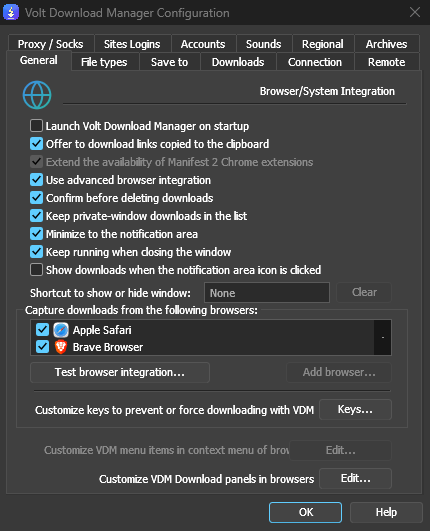
随电脑启动,不显眼
Tick Launch Volt Download Manager on startup in Options → General and VDM starts when you sign in, hidden, its icon in the notification area. Its downloads, queues, the Scheduler and downloads from the browser all run from there. Click the icon, or start VDM again, and the window opens as usual.
The option is off until you tick it. On Linux and macOS VDM starts with your session the same way. A portable copy can't start with Windows, since that needs the registry, so the option is greyed there.
一键隐藏下载窗口
下载进度窗口有一个隐藏到通知区域按钮:一个短横线,带一个指向角落的箭头。在 Windows 上,它位于标题栏中,“最小化”按钮的左侧,以及标题栏菜单(Alt+Space)中。在 Linux 和 macOS 上,它位于标签页行的末尾。下载将继续进行。
要再次查看,请右键点击托盘图标,然后在正在进行的下载下选择它,其中列出了所有正在运行的下载。双击列表中的下载也会将其窗口带回。
最小化也会将窗口发送到托盘
With Minimize to the notification area on in Options → General (it is on by default), Minimize hides the main window, and a progress window, in the notification area instead of leaving them on the taskbar. Closing the main window does the same: VDM keeps running until you choose Tasks → Exit or Exit in the tray menu.
托盘菜单还包括添加新下载、添加批量下载、从剪贴板批量添加下载、速度限制器、计划程序、主下载队列和选项。
不打扰游戏或演示
While a full-screen game, a film or a presentation is on, or the screen is locked, Download complete and VDM's other windows that come up by themselves wait. The download finishes as usual; its window shows when you're back, and several show one after the other, in the order they came. The tray icon's tip says how many wait. A link you click in the browser still opens at once. To have them show at once anyway, untick Don't show pop-ups while a full-screen app or presentation is running in Options → Downloads.
等待时轻量运行
Hidden in the notification area, VDM hands the memory it isn't using back to the system. Task Manager's Memory for VDM drops from about 50 MB to under 10 MB there, and VDM gives memory back again every 10 minutes while it stays hidden. On Linux it does the same with its free memory.
没有托盘时
All of this needs a notification area that shows VDM's icon. Windows and macOS have one, and so do most Linux desktops (KDE, GNOME with its AppIndicator extension, waybar's tray). On a desktop without one, VDM starts minimized instead, closing the window quits VDM, and Minimize to the notification area is greyed. In a Wayland session the main window stays minimized in the dock, because Wayland can't hide a window.
免费、开源、无广告、无试用版。
Download Volt Download Manager