

A download that stopped halfway doesn't have to start over. VDM keeps what it has and continues from there.
연결이 끊긴 후
When the connection drops, VDM retries on its own. In the progress window, the connection table shows Retrying and the reason. Usually the download goes on by itself once the connection is back.
VDM이 다시 시도를 중단하고 오류를 표시하는 경우:
- 목록에서 다운로드를 선택합니다.
- 도구 모음에서 다시 시작을 클릭합니다 (또는 마우스 오른쪽 버튼 클릭 → 다운로드 다시 시작).
충돌 또는 재시작 후
VDM saves each download's progress as it goes, so a Windows crash, a power cut or closing VDM loses at most the last moments.
- Start VDM. The download is in the list under Unfinished.
- 다운로드를 선택하고 다시 시작을 클릭합니다.
링크가 만료된 경우
많은 사이트에서 잠시 동안만 작동하거나 로그인한 상태에서만 작동하는 링크를 제공합니다. 이 경우 이전 주소가 더 이상 응답하지 않아 다운로드를 다시 시작할 수 없습니다.
- 다운로드를 마우스 오른쪽 버튼으로 클릭하고 다운로드 주소 새로 고침을 선택합니다.
- VDM opens the web page the link came from (when it knows it), and the download's File Properties. For a download the browser handed over, that's the page you started it from; for an older one, the address the browser sent with it (often only the site's home page).
- On the web page, start the download again. When the browser hands it to VDM, VDM sees it's the same file (from the same site, with the same name, and the same size when both are known) and gives its address to the waiting download, which continues from where it stopped. There's nothing more to do.
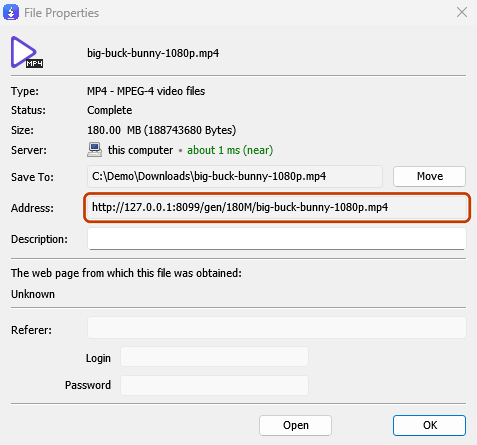
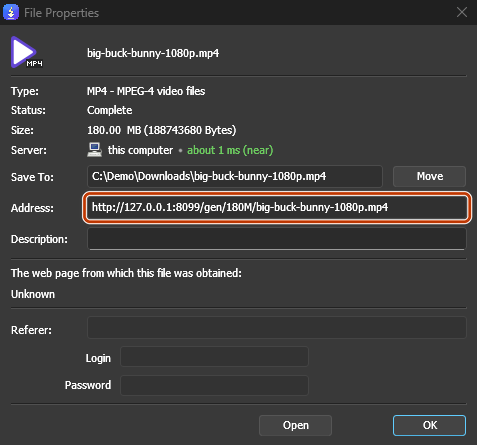
- 또는 새 다운로드 링크를 복사하여(마우스 오른쪽 버튼 클릭 → 링크 복사) 파일 속성의 주소에 붙여넣고 확인을 클릭한 다음 다시 시작을 클릭합니다.
A Rapidgator download that stopped because its link expired or was refused waits for a new address the same way, without Refresh download address: starting the download again in the browser is enough. For other sites, choose Refresh download address first. Only a download the browser hands over by itself gives its address to a waiting one: not Download with VDM from the right-click menu, the command line or a script, and never a private window's download, or a private window's waiting one. For Rapidgator, VDM asks the file's page you started the download from for a fresh link by itself, with your browser's sign-in, and goes on without stopping. LuluStream's links expire too: a download added with the video's own link (its watch page or player) gets a fresh one from that link by itself, and one taken from the site's Download button gets it from the video's page you started it from.
The new address has to point at the same file. If it doesn't, VDM stops with the file changed on the server.
서버에서 파일이 변경된 경우
If the site replaced the file with a new version, the parts VDM has don't fit any more. Right-click the download and choose Redownload to start again from the beginning. A finished file is only replaced when the new download completes.
다시 시작할 수 없는 경우
Look at Resume capability in the progress window. No means the server can't send a file in parts. VDM then uses one connection, and a download that stops has to start over. For such servers, avoid stopping the download, and avoid a very low speed limit, which can make the server drop the connection.
서버가 크기를 보내지 않는 경우(인터넷 라디오, 카메라 피드), 진행 창의 버튼은 중지하고 유지로 표시됩니다. 이는 완료된 파일로 도착한 내용을 유지하는 유일한 방법입니다. 중지, 모두 중지, 대기열 중지 및 취소는 아무것도 유지하지 않습니다. 끝나지 않는 다운로드를 참조하세요.
다음 단계
무료, 오픈 소스, 광고 없음, 평가판 없음.
Download Volt Download Manager