

A download that stopped halfway doesn't have to start over. VDM keeps what it has and continues from there.
Dopo un'interruzione della connessione
When the connection drops, VDM retries on its own. In the progress window, the connection table shows Retrying and the reason. Usually the download goes on by itself once the connection is back.
Se il download smette di riprovare e mostra Errore:
- Seleziona il download nell'elenco.
- Fai clic su Riprendi nella barra degli strumenti (o clic destro → Riprendi download).
Dopo un arresto anomalo o un riavvio
VDM saves each download's progress as it goes, so a Windows crash, a power cut or closing VDM loses at most the last moments.
- Start VDM. The download is in the list under Unfinished.
- Selezionalo e fai clic su Riprendi.
Quando il collegamento è scaduto
Molti siti forniscono collegamenti che funzionano solo per un certo periodo o solo mentre hai effettuato l'accesso. In questo caso non è possibile riprendere il download, perché il vecchio indirizzo non risponde più.
- Fai clic destro sul download e scegli Aggiorna indirizzo di download.
- VDM opens the web page the link came from (when it knows it), and the download's File Properties. For a download the browser handed over, that's the page you started it from; for an older one, the address the browser sent with it (often only the site's home page).
- On the web page, start the download again. When the browser hands it to VDM, VDM sees it's the same file (from the same site, with the same name, and the same size when both are known) and gives its address to the waiting download, which continues from where it stopped. There's nothing more to do.
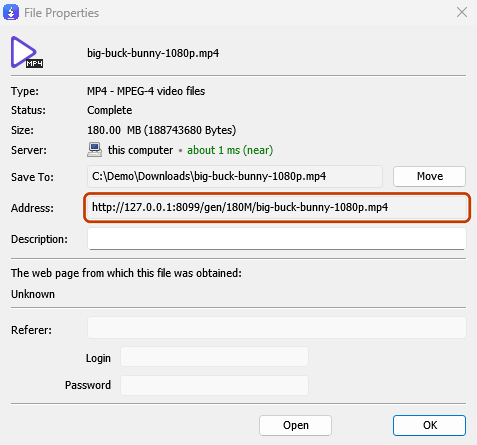
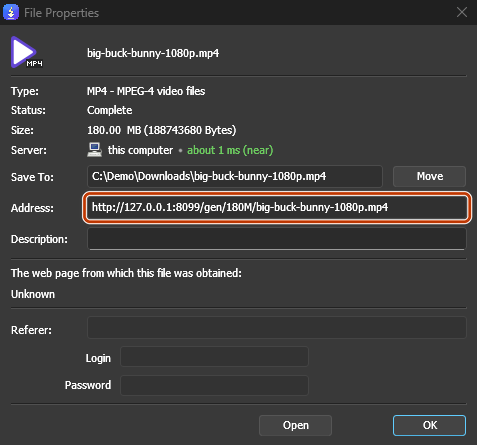
- Oppure copia il nuovo collegamento di download (fai clic destro → Copia collegamento), incollalo in Indirizzo nelle Proprietà del file, fai clic su OK, poi fai clic su Riprendi.
A Rapidgator download that stopped because its link expired or was refused waits for a new address the same way, without Refresh download address: starting the download again in the browser is enough. For other sites, choose Refresh download address first. Only a download the browser hands over by itself gives its address to a waiting one: not Download with VDM from the right-click menu, the command line or a script, and never a private window's download, or a private window's waiting one. For Rapidgator, VDM asks the file's page you started the download from for a fresh link by itself, with your browser's sign-in, and goes on without stopping. LuluStream's links expire too: a download added with the video's own link (its watch page or player) gets a fresh one from that link by itself, and one taken from the site's Download button gets it from the video's page you started it from.
The new address has to point at the same file. If it doesn't, VDM stops with the file changed on the server.
Quando il file è cambiato sul server
If the site replaced the file with a new version, the parts VDM has don't fit any more. Right-click the download and choose Redownload to start again from the beginning. A finished file is only replaced when the new download completes.
Quando non è possibile riprendere il download
Look at Resume capability in the progress window. No means the server can't send a file in parts. VDM then uses one connection, and a download that stops has to start over. For such servers, avoid stopping the download, and avoid a very low speed limit, which can make the server drop the connection.
Quando un server non invia nemmeno la dimensione (una radio internet, un feed di telecamera), il pulsante della finestra di avanzamento mostra Interrompi e mantieni: è l'unico modo per conservare ciò che è arrivato, come file completato. Interrompi, Interrompi tutto, l'interruzione di una coda e Annulla non ne conservano nulla. Vedi Download che non finiscono mai.
Passi successivi
- Connessioni e ripresa in dettaglio →
- Risoluzione dei problemi →
- Torna all'indice della documentazione →
Gratuito, open source, senza pubblicità, senza periodo di prova.
Download Volt Download Manager