

A download that stopped halfway doesn't have to start over. VDM keeps what it has and continues from there.
پس از قطع اتصال
When the connection drops, VDM retries on its own. In the progress window, the connection table shows Retrying and the reason. Usually the download goes on by itself once the connection is back.
اگر تسلیم شود و خطا را نشان دهد:
- بارگیری را در فهرست انتخاب کنید.
- روی ادامه در نوار ابزار کلیک کنید (یا راستکلیک کنید → ادامه بارگیری).
پس از خرابی یا راهاندازی مجدد
VDM saves each download's progress as it goes, so a Windows crash, a power cut or closing VDM loses at most the last moments.
- Start VDM. The download is in the list under Unfinished.
- آن را انتخاب کرده و روی ادامه کلیک کنید.
هنگامی که پیوند منقضی شده است
بسیاری از سایتها پیوندهایی را ارائه میدهند که فقط برای مدتی یا فقط زمانی که وارد شدهاید کار میکنند. در این صورت، ادامه بارگیری با شکست مواجه میشود، زیرا آدرس قدیمی دیگر پاسخگو نیست.
- روی بارگیری راستکلیک کرده و تازهسازی نشانی بارگیری را انتخاب کنید.
- VDM opens the web page the link came from (when it knows it), and the download's File Properties. For a download the browser handed over, that's the page you started it from; for an older one, the address the browser sent with it (often only the site's home page).
- On the web page, start the download again. When the browser hands it to VDM, VDM sees it's the same file (from the same site, with the same name, and the same size when both are known) and gives its address to the waiting download, which continues from where it stopped. There's nothing more to do.
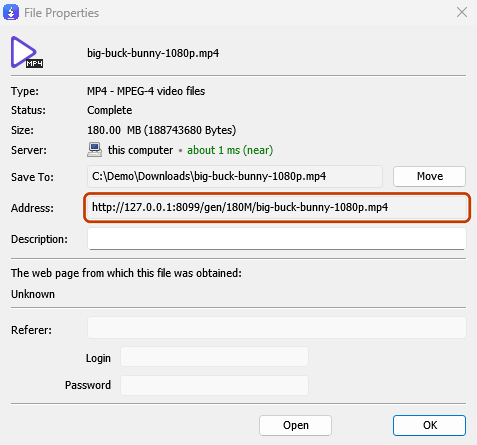
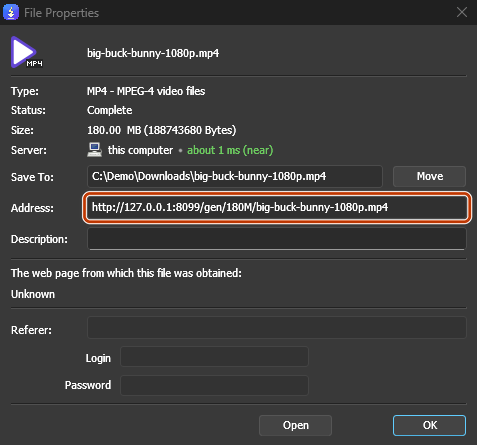
- یا پیوند بارگیری جدید را کپی کنید (کلیک راست → کپی پیوند)، آن را در نشانی در ویژگیهای فایل بچسبانید، روی تأیید کلیک کنید، سپس روی ادامه کلیک کنید.
A Rapidgator download that stopped because its link expired or was refused waits for a new address the same way, without Refresh download address: starting the download again in the browser is enough. For other sites, choose Refresh download address first. Only a download the browser hands over by itself gives its address to a waiting one: not Download with VDM from the right-click menu, the command line or a script, and never a private window's download, or a private window's waiting one. For Rapidgator, VDM asks the file's page you started the download from for a fresh link by itself, with your browser's sign-in, and goes on without stopping. LuluStream's links expire too: a download added with the video's own link (its watch page or player) gets a fresh one from that link by itself, and one taken from the site's Download button gets it from the video's page you started it from.
The new address has to point at the same file. If it doesn't, VDM stops with the file changed on the server.
هنگامی که فایل در سرور تغییر کرده است
If the site replaced the file with a new version, the parts VDM has don't fit any more. Right-click the download and choose Redownload to start again from the beginning. A finished file is only replaced when the new download completes.
هنگامی که ادامه بارگیری امکانپذیر نیست
Look at Resume capability in the progress window. No means the server can't send a file in parts. VDM then uses one connection, and a download that stops has to start over. For such servers, avoid stopping the download, and avoid a very low speed limit, which can make the server drop the connection.
وقتی چنین سروری اندازه فایل را هم نمیفرستد (مانند رادیو اینترنتی یا فید دوربین)، دکمه پنجره پیشرفت توقف و نگهداری را نشان میدهد: این تنها راه برای نگهداری آنچه دریافت شده، به عنوان فایل کاملشده است. توقف، توقف همه، توقف صف و لغو هیچیک از آن را نگه نمیدارند. به بارگیریهایی که هرگز پایان نمییابند مراجعه کنید.
مراحل بعدی
رایگان، متنباز، بدون تبلیغات، بدون دوره آزمایشی.
Download Volt Download Manager