

A download that stopped halfway doesn't have to start over. VDM keeps what it has and continues from there.
Na een verbroken verbinding
When the connection drops, VDM retries on its own. In the progress window, the connection table shows Retrying and the reason. Usually the download goes on by itself once the connection is back.
Als VDM het opgeeft en Fout toont:
- Selecteer de download in de lijst.
- Klik op Hervatten op de werkbalk (of rechtermuisknop → Download hervatten).
Na een crash of herstart
VDM saves each download's progress as it goes, so a Windows crash, a power cut or closing VDM loses at most the last moments.
- Start VDM. The download is in the list under Unfinished.
- Selecteer de download en klik op Hervatten.
Wanneer de link is verlopen
Veel sites geven links uit die slechts een tijdje werken, of alleen zolang u bent aangemeld. Hervatten mislukt dan, omdat het oude adres niet meer reageert.
- Klik met de rechtermuisknop op de download en kies Downloadadres vernieuwen.
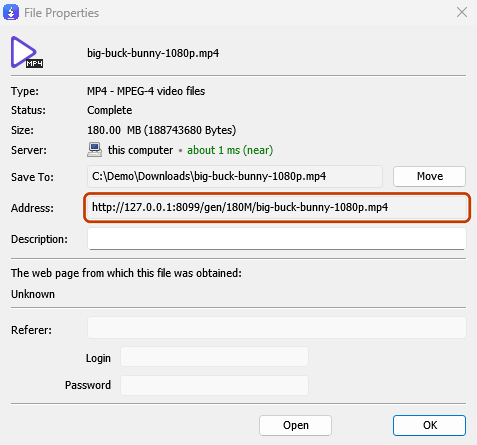
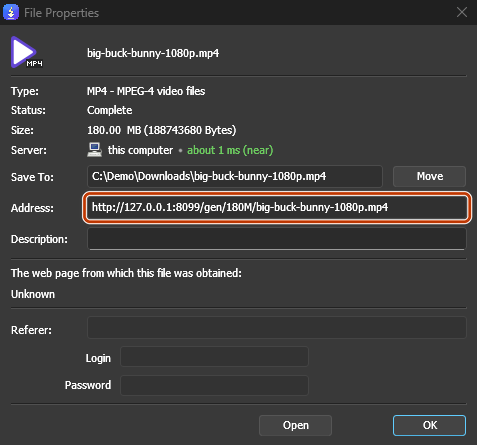
- VDM opens the web page the link came from (when it knows it), and the download's File Properties. For a download the browser handed over, that's the page you started it from; for an older one, the address the browser sent with it (often only the site's home page).
- On the web page, start the download again. When the browser hands it to VDM, VDM sees it's the same file (from the same site, with the same name, and the same size when both are known) and gives its address to the waiting download, which continues from where it stopped. There's nothing more to do.
- Of kopieer de nieuwe downloadlink (rechtermuisknop → Link kopiëren), plak deze in Adres in Bestandseigenschappen, klik op OK en klik vervolgens op Hervatten.
A Rapidgator download that stopped because its link expired or was refused waits for a new address the same way, without Refresh download address: starting the download again in the browser is enough. For other sites, choose Refresh download address first. Only a download the browser hands over by itself gives its address to a waiting one: not Download with VDM from the right-click menu, the command line or a script, and never a private window's download, or a private window's waiting one. For Rapidgator, VDM asks the file's page you started the download from for a fresh link by itself, with your browser's sign-in, and goes on without stopping. LuluStream's links expire too: a download added with the video's own link (its watch page or player) gets a fresh one from that link by itself, and one taken from the site's Download button gets it from the video's page you started it from.
The new address has to point at the same file. If it doesn't, VDM stops with the file changed on the server.
Wanneer het bestand op de server is gewijzigd
If the site replaced the file with a new version, the parts VDM has don't fit any more. Right-click the download and choose Redownload to start again from the beginning. A finished file is only replaced when the new download completes.
Wanneer hervatten niet mogelijk is
Look at Resume capability in the progress window. No means the server can't send a file in parts. VDM then uses one connection, and a download that stops has to start over. For such servers, avoid stopping the download, and avoid a very low speed limit, which can make the server drop the connection.
Als zo'n server ook geen grootte meestuurt (een internetradio, een camerabeeld), dan staat er op de knop van het voortgangsvenster Stoppen en behouden: dit is de enige manier om wat is binnengekomen, als voltooid bestand te bewaren. Stoppen, Alles stoppen, het stoppen van een wachtrij en Annuleren bewaren er niets van. Zie Downloads die nooit eindigen.
Volgende stappen
Gratis, open source, geen advertenties, geen proefversie.
Download Volt Download Manager