

A download that stopped halfway doesn't have to start over. VDM keeps what it has and continues from there.
Após uma ligação interrompida
When the connection drops, VDM retries on its own. In the progress window, the connection table shows Retrying and the reason. Usually the download goes on by itself once the connection is back.
Se desistir e mostrar Erro:
- Selecione a transferência na lista.
- Clique em Retomar na barra de ferramentas (ou clique com o botão direito → Retomar Transferência).
Após uma falha ou um reinício
VDM saves each download's progress as it goes, so a Windows crash, a power cut or closing VDM loses at most the last moments.
- Start VDM. The download is in the list under Unfinished.
- Selecione-a e clique em Retomar.
Quando a ligação expirou
Muitos sites fornecem ligações que só funcionam por um tempo, ou apenas enquanto estiver com sessão iniciada. Retomar falha então, porque o endereço antigo já não responde.
- Clique com o botão direito na transferência e escolha Atualizar endereço de transferência.
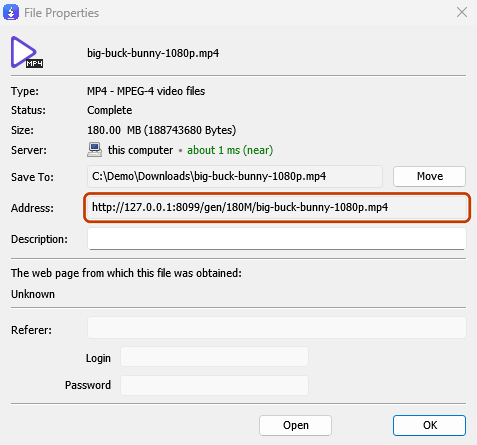
- VDM opens the web page the link came from (when it knows it), and the download's File Properties. For a download the browser handed over, that's the page you started it from; for an older one, the address the browser sent with it (often only the site's home page).
- On the web page, start the download again. When the browser hands it to VDM, VDM sees it's the same file (from the same site, with the same name, and the same size when both are known) and gives its address to the waiting download, which continues from where it stopped. There's nothing more to do.
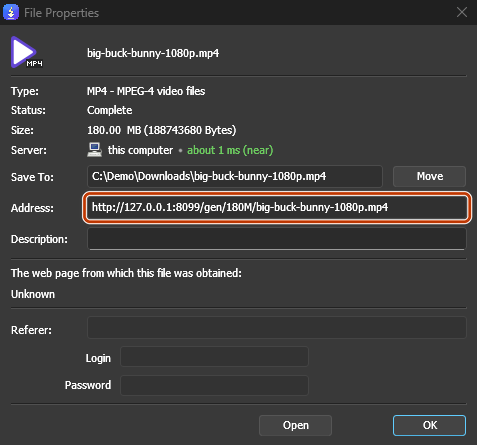
- Ou copie a nova ligação de transferência (clique com o botão direito → Copiar ligação), cole-a em Endereço nas Propriedades do ficheiro, clique em OK e, em seguida, clique em Retomar.
A Rapidgator download that stopped because its link expired or was refused waits for a new address the same way, without Refresh download address: starting the download again in the browser is enough. For other sites, choose Refresh download address first. Only a download the browser hands over by itself gives its address to a waiting one: not Download with VDM from the right-click menu, the command line or a script, and never a private window's download, or a private window's waiting one. For Rapidgator, VDM asks the file's page you started the download from for a fresh link by itself, with your browser's sign-in, and goes on without stopping. LuluStream's links expire too: a download added with the video's own link (its watch page or player) gets a fresh one from that link by itself, and one taken from the site's Download button gets it from the video's page you started it from.
The new address has to point at the same file. If it doesn't, VDM stops with the file changed on the server.
Quando o ficheiro mudou no servidor
If the site replaced the file with a new version, the parts VDM has don't fit any more. Right-click the download and choose Redownload to start again from the beginning. A finished file is only replaced when the new download completes.
Quando não é possível retomar
Look at Resume capability in the progress window. No means the server can't send a file in parts. VDM then uses one connection, and a download that stops has to start over. For such servers, avoid stopping the download, and avoid a very low speed limit, which can make the server drop the connection.
Quando um servidor também não envia o tamanho (uma rádio da internet, um feed de câmara), o botão da janela de progresso lê Parar e manter: é a única forma de guardar o que chegou, como o ficheiro finalizado. Parar, Parar Tudo, parar uma fila e Cancelar não guardam nada. Consulte Transferências que nunca terminam.
Próximos passos
Gratuito, de código aberto, sem anúncios, sem período de avaliação.
Download Volt Download Manager