

A download that stopped halfway doesn't have to start over. VDM keeps what it has and continues from there.
Después de un corte de conexión
When the connection drops, VDM retries on its own. In the progress window, the connection table shows Retrying and the reason. Usually the download goes on by itself once the connection is back.
Si se rinde y muestra Error:
- Selecciona la descarga en la lista.
- Haz clic en Reanudar en la barra de herramientas (o haz clic derecho → Reanudar descarga).
Después de un fallo o un reinicio
VDM saves each download's progress as it goes, so a Windows crash, a power cut or closing VDM loses at most the last moments.
- Start VDM. The download is in the list under Unfinished.
- Selecciónala y haz clic en Reanudar.
Cuando el enlace ha caducado
Muchos sitios ofrecen enlaces que solo funcionan durante un tiempo, o solo mientras tienes la sesión iniciada. La reanudación falla entonces, porque la dirección antigua ya no responde.
- Haz clic derecho en la descarga y elige Actualizar dirección de descarga.
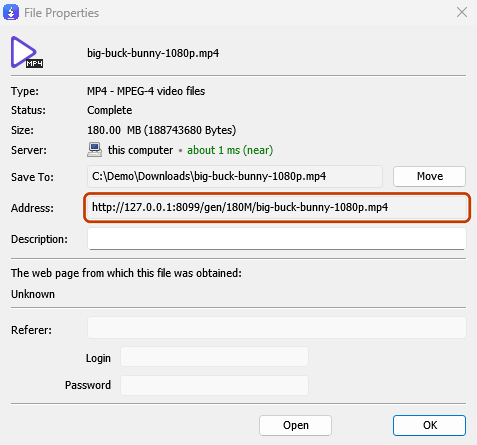
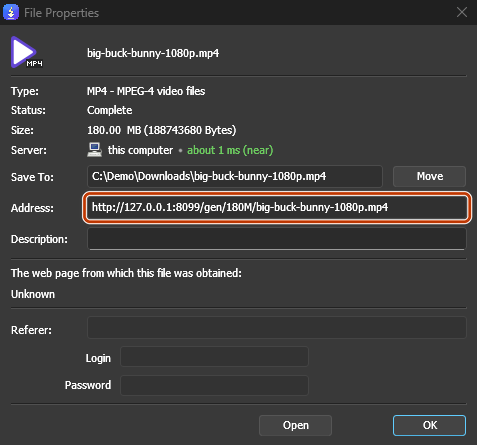
- VDM opens the web page the link came from (when it knows it), and the download's File Properties. For a download the browser handed over, that's the page you started it from; for an older one, the address the browser sent with it (often only the site's home page).
- On the web page, start the download again. When the browser hands it to VDM, VDM sees it's the same file (from the same site, with the same name, and the same size when both are known) and gives its address to the waiting download, which continues from where it stopped. There's nothing more to do.
- O copia el nuevo vínculo de descarga (clic derecho → Copiar vínculo), pégalo en Dirección en Propiedades del archivo, haz clic en Aceptar y luego en Reanudar.
A Rapidgator download that stopped because its link expired or was refused waits for a new address the same way, without Refresh download address: starting the download again in the browser is enough. For other sites, choose Refresh download address first. Only a download the browser hands over by itself gives its address to a waiting one: not Download with VDM from the right-click menu, the command line or a script, and never a private window's download, or a private window's waiting one. For Rapidgator, VDM asks the file's page you started the download from for a fresh link by itself, with your browser's sign-in, and goes on without stopping. LuluStream's links expire too: a download added with the video's own link (its watch page or player) gets a fresh one from that link by itself, and one taken from the site's Download button gets it from the video's page you started it from.
The new address has to point at the same file. If it doesn't, VDM stops with the file changed on the server.
Cuando el archivo cambió en el servidor
If the site replaced the file with a new version, the parts VDM has don't fit any more. Right-click the download and choose Redownload to start again from the beginning. A finished file is only replaced when the new download completes.
Cuando no es posible reanudar
Look at Resume capability in the progress window. No means the server can't send a file in parts. VDM then uses one connection, and a download that stops has to start over. For such servers, avoid stopping the download, and avoid a very low speed limit, which can make the server drop the connection.
Cuando un servidor de este tipo tampoco envía el tamaño (una radio por internet, la señal de una cámara), el botón de la ventana de progreso dice Detener y conservar: es la única forma de conservar lo que ha llegado como archivo terminado. Detener, Detener todo, detener una cola y Cancelar no conservan nada. Consulta Descargas que nunca terminan.
Pasos siguientes
- Conexiones y reanudación en detalle →
- Solución de problemas →
- Volver al índice de la documentación →
Gratis, código abierto, sin anuncios, sin prueba.
Download Volt Download Manager