

A download that stopped halfway doesn't have to start over. VDM keeps what it has and continues from there.
接続が切断された後
When the connection drops, VDM retries on its own. In the progress window, the connection table shows Retrying and the reason. Usually the download goes on by itself once the connection is back.
VDMが諦めて「エラー」と表示された場合:
- リスト内でダウンロードを選択します。
- ツールバーの再開をクリックします(または右クリック → ダウンロードの再開)。
クラッシュまたは再起動後
VDM saves each download's progress as it goes, so a Windows crash, a power cut or closing VDM loses at most the last moments.
- Start VDM. The download is in the list under Unfinished.
- それを選択し、再開をクリックします。
リンクの有効期限が切れた場合
多くのサイトでは、一時的に、またはサインインしている間だけ機能するリンクを提供しています。その場合、古いアドレスが応答しなくなるため、再開は失敗します。
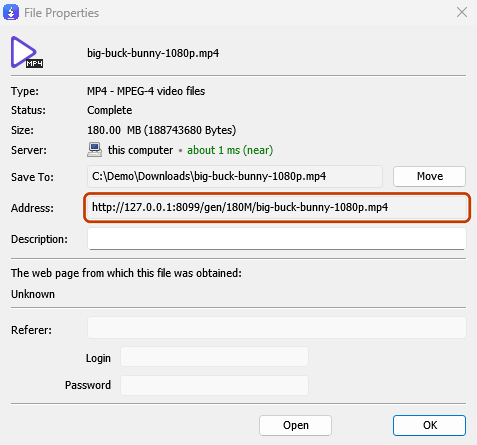
- ダウンロードを右クリックし、ダウンロードアドレスを更新を選択します。
- VDM opens the web page the link came from (when it knows it), and the download's File Properties. For a download the browser handed over, that's the page you started it from; for an older one, the address the browser sent with it (often only the site's home page).
- On the web page, start the download again. When the browser hands it to VDM, VDM sees it's the same file (from the same site, with the same name, and the same size when both are known) and gives its address to the waiting download, which continues from where it stopped. There's nothing more to do.
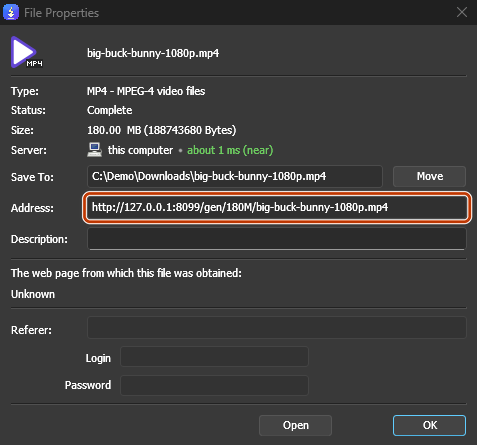
- または、新しいダウンロードリンクをコピーし (右クリック → リンクをコピー)、ファイルのプロパティ の アドレス に貼り付け、OK をクリックしてから、再開 をクリックします。
A Rapidgator download that stopped because its link expired or was refused waits for a new address the same way, without Refresh download address: starting the download again in the browser is enough. For other sites, choose Refresh download address first. Only a download the browser hands over by itself gives its address to a waiting one: not Download with VDM from the right-click menu, the command line or a script, and never a private window's download, or a private window's waiting one. For Rapidgator, VDM asks the file's page you started the download from for a fresh link by itself, with your browser's sign-in, and goes on without stopping. LuluStream's links expire too: a download added with the video's own link (its watch page or player) gets a fresh one from that link by itself, and one taken from the site's Download button gets it from the video's page you started it from.
The new address has to point at the same file. If it doesn't, VDM stops with the file changed on the server.
サーバー上のファイルが変更された場合
If the site replaced the file with a new version, the parts VDM has don't fit any more. Right-click the download and choose Redownload to start again from the beginning. A finished file is only replaced when the new download completes.
再開が不可能な場合
Look at Resume capability in the progress window. No means the server can't send a file in parts. VDM then uses one connection, and a download that stops has to start over. For such servers, avoid stopping the download, and avoid a very low speed limit, which can make the server drop the connection.
サーバーがサイズ情報も送信しない場合 (インターネット ラジオ、カメラ フィードなど)、「進行状況」ウィンドウのボタンは停止して保持と表示されます。これは、受信したデータを完了したファイルとして保持する唯一の方法です。停止、すべて停止、キューの停止、キャンセルでは何も保持されません。終わらないダウンロードを参照してください。
次のステップ
無料、オープンソース、広告なし、試用期間なし。
Download Volt Download Manager