

A download that stopped halfway doesn't have to start over. VDM keeps what it has and continues from there.
连接中断后
When the connection drops, VDM retries on its own. In the progress window, the connection table shows Retrying and the reason. Usually the download goes on by itself once the connection is back.
如果重试失败并显示错误:
- 在列表中选择该下载。
- 点击工具栏上的恢复(或右键点击 → 恢复下载)。
崩溃或重启后
VDM saves each download's progress as it goes, so a Windows crash, a power cut or closing VDM loses at most the last moments.
- Start VDM. The download is in the list under Unfinished.
- 选择它并点击恢复。
当链接已过期时
许多网站提供的链接只在一段时间内有效,或者只在您登录时有效。此时恢复会失败,因为旧地址不再响应。
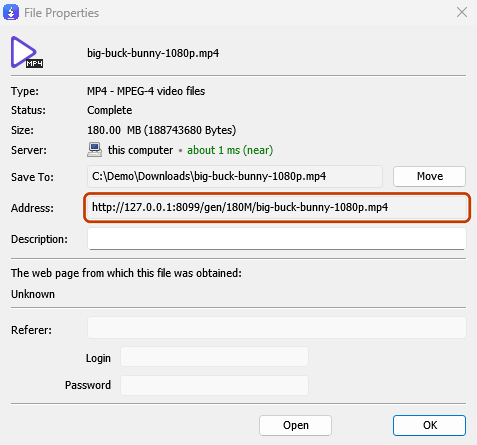
- 右键点击下载并选择刷新下载地址。
- VDM opens the web page the link came from (when it knows it), and the download's File Properties. For a download the browser handed over, that's the page you started it from; for an older one, the address the browser sent with it (often only the site's home page).
- On the web page, start the download again. When the browser hands it to VDM, VDM sees it's the same file (from the same site, with the same name, and the same size when both are known) and gives its address to the waiting download, which continues from where it stopped. There's nothing more to do.
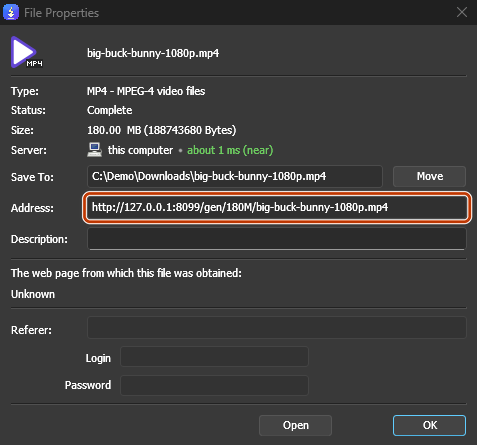
- 或者复制新的下载链接(右键点击 → 复制链接),将其粘贴到文件属性中的地址字段,点击确定,然后点击续传。
A Rapidgator download that stopped because its link expired or was refused waits for a new address the same way, without Refresh download address: starting the download again in the browser is enough. For other sites, choose Refresh download address first. Only a download the browser hands over by itself gives its address to a waiting one: not Download with VDM from the right-click menu, the command line or a script, and never a private window's download, or a private window's waiting one. For Rapidgator, VDM asks the file's page you started the download from for a fresh link by itself, with your browser's sign-in, and goes on without stopping. LuluStream's links expire too: a download added with the video's own link (its watch page or player) gets a fresh one from that link by itself, and one taken from the site's Download button gets it from the video's page you started it from.
The new address has to point at the same file. If it doesn't, VDM stops with the file changed on the server.
当服务器上的文件已更改时
If the site replaced the file with a new version, the parts VDM has don't fit any more. Right-click the download and choose Redownload to start again from the beginning. A finished file is only replaced when the new download completes.
无法续传时
Look at Resume capability in the progress window. No means the server can't send a file in parts. VDM then uses one connection, and a download that stops has to start over. For such servers, avoid stopping the download, and avoid a very low speed limit, which can make the server drop the connection.
如果服务器未发送文件大小(例如网络电台、摄像头直播),进度窗口的按钮会显示“停止并保留”:这是唯一能将已接收部分作为完成文件保留的方式。停止、全部停止、队列停止以及取消都不会保留任何内容。请参阅永不结束的下载。
下一步
免费、开源、无广告、无试用版。
Download Volt Download Manager