

Set up the extension once, and every download link you click in Firefox, Chrome, Edge, Brave, Opera, Vivaldi or Helium goes to VDM.
শুরু করার আগে
On Windows, VDM must be installed with the setup, with Set up browser integration (Chrome, Edge, Brave, Firefox) ticked. It is ticked by default. If you're not sure, run the setup again. A portable copy can't do this. On Linux and macOS, start VDM once: it sets browser integration up itself.
VDM's Add Volt Download Manager to your browser window, which opens at each start until a browser's extension has reached VDM, does the steps below for you: Add the extension opens the store's page in that browser.
একবার সেট আপ হয়ে গেলে, একটি ডাউনলোড লিঙ্ক এভাবে কাজ করে:
Click a download link in the browser: Download File Info opens in VDM. 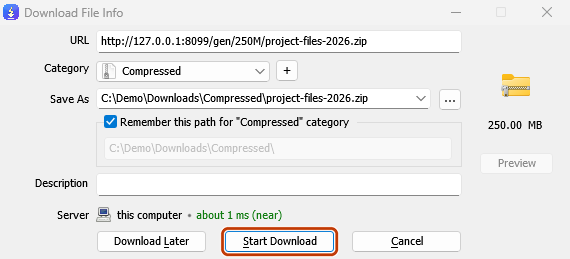
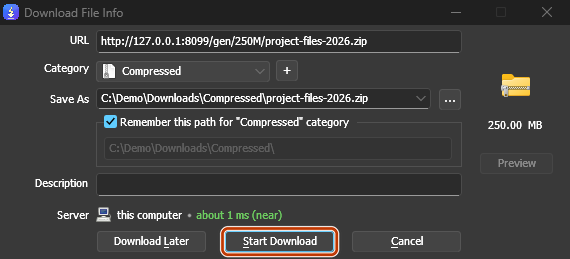
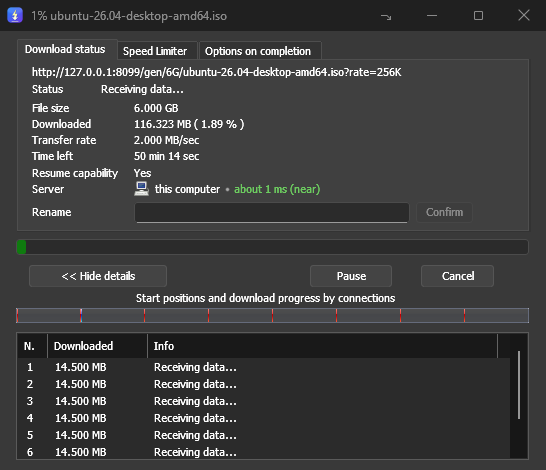
ডাউনলোড শুরু করুন: প্রগ্রেস উইন্ডো দেখায় এটি আসছে। 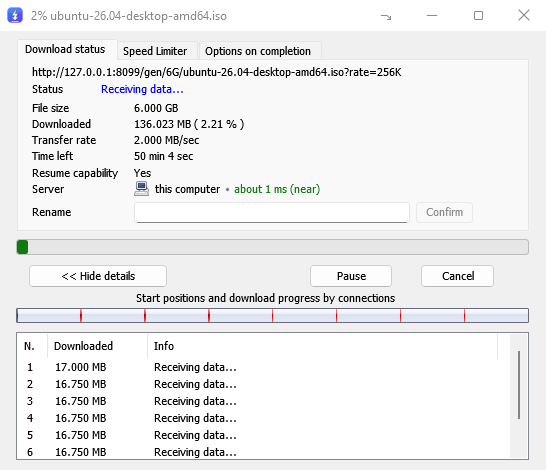
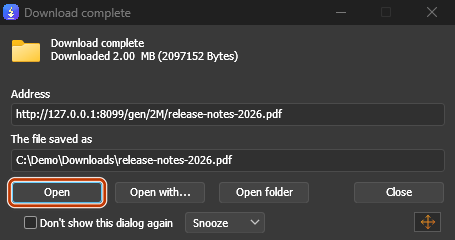
ডাউনলোড সম্পূর্ণ: ফাইলটি খুলুন, অথবা ফোল্ডার খুলুন। 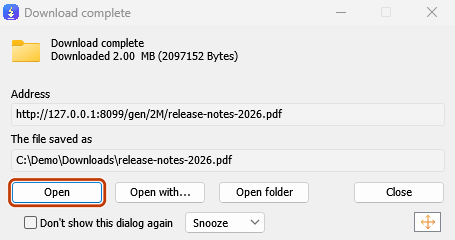
Firefox-এ
- Open the add-on's page on addons.mozilla.org, Volt Download Manager, and click Add to Firefox. Zen and LibreWolf use the same page.
- Firefox নিশ্চিত করতে বললে Add ক্লিক করুন। Firefox অ্যাড-অনটি আপ টু ডেট রাখে।
- Go to a web page and click a download link, for example a ZIP or an EXE: VDM opens Download File Info. Click Start Download.
Chrome, Edge, Brave, Opera বা Vivaldi-তে
- Open the extension's page in the Chrome Web Store, Volt Download Manager, and click Add to Chrome. In Edge the button is Get, and Edge first asks to Allow extensions from other stores: click Allow.
- ব্রাউজার নিশ্চিত করতে বললে Add extension ক্লিক করুন। ব্রাউজার এক্সটেনশনটি আপ টু ডেট রাখে।
- Go to a web page and click a download link, for example a ZIP or an EXE: VDM opens Download File Info. Click Start Download.
Helium একই পৃষ্ঠা থেকে এটি ইনস্টল করে, যতক্ষণ Helium এক্সটেনশন ডাউনলোড করার অনুমতি দেয়: Helium দেখুন।
স্টোর ছাড়া
কোনো ব্রাউজার তার স্টোর ব্যবহার করতে না পারলে (যেমন, কোনো প্রতিষ্ঠানের পরিচালিত কম্পিউটার বা নিজে তৈরি করা বিল্ড), এক্সটেনশনটি হাতে যোগ করুন:
- আপনার ব্রাউজারের এক্সটেনশন পৃষ্ঠা খুলুন: অ্যাড্রেস বারে
chrome://extensions,edge://extensionsঅথবাbrave://extensionsটাইপ করুন। - ডেভেলপার মোড চালু করুন।
- আনপ্যাক করা এক্সটেনশন লোড করুন ক্লিক করুন।
- Choose the
extension\chromiumfolder inside VDM's folder. If you installed VDM for yourself, that is%LOCALAPPDATA%\Programs\Volt Download Manager\extension\chromium; you can paste that path into the folder box. - Volt Download Manager appears. Make sure it is turned on.
- একটি ওয়েব পেজে যান এবং একটি ডাউনলোড লিঙ্কে ক্লিক করুন, উদাহরণস্বরূপ একটি ZIP বা একটি EXE।
- VDM opens Download File Info instead of the browser downloading the file. Click Start Download.
You don't need to start VDM first: if it isn't running, it starts by itself.
Choose what VDM takes
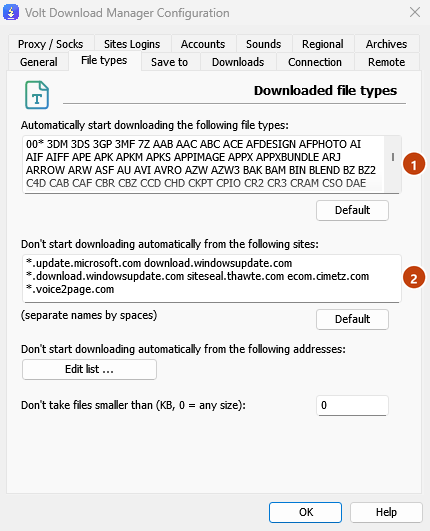
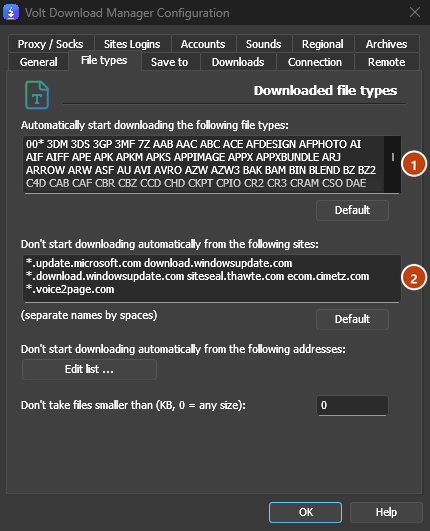
- কোন ফাইলের ধরন: সেটিংস → ফাইলের ধরন → নিম্নলিখিত ফাইলের ধরনগুলোর ডাউনলোড স্বয়ংক্রিয়ভাবে শুরু করুন। স্পেস দিয়ে আলাদা করে ফাইলের ধরন যোগ বা সরান।
- যেসব সাইট থেকে ডাউনলোড করবেন না: বিকল্প → ফাইলের ধরন → নিচের সাইটগুলো থেকে স্বয়ংক্রিয়ভাবে ডাউনলোড শুরু করবেন না। সাইটের নাম যোগ করুন, যেমন
example.com: এটিwww.example.comএবং সাইটের অন্যান্য সাবডোমেন, এবং এর পেজগুলো থেকে অন্য সার্ভারে লিংক করা ফাইলগুলোও কভার করে। - One browser only: Options → General → Capture downloads from the following browsers. Untick the ones VDM should leave alone.
Everything VDM doesn't take stays with the browser.
ব্রাউজার যে লিঙ্ক খুলত, সেটি ডাউনলোড করুন
Links to a PDF or a video file, which the browser would open itself, go to VDM too when their type is listed. To leave one to the browser, hold Alt while clicking it: the browser opens it as a plain click would. Any other link: right-click it and choose Download with Volt Download Manager, which takes any type.
পরবর্তী ধাপ
- ব্রাউজার ইন্টিগ্রেশন বিস্তারিত (Firefox, ব্যক্তিগত উইন্ডো, কী পাঠানো হয়) →
- যদি ব্রাউজার ডাউনলোড হস্তান্তর না করে →
- রাতারাতি ডাউনলোড করুন →
বিনামূল্যে, ওপেন সোর্স, কোনো বিজ্ঞাপন নেই, কোনো ট্রায়াল নেই।
Download Volt Download Manager