

Set up the extension once, and every download link you click in Firefox, Chrome, Edge, Brave, Opera, Vivaldi or Helium goes to VDM.
Bevor Sie beginnen
On Windows, VDM must be installed with the setup, with Set up browser integration (Chrome, Edge, Brave, Firefox) ticked. It is ticked by default. If you're not sure, run the setup again. A portable copy can't do this. On Linux and macOS, start VDM once: it sets browser integration up itself.
VDM's Add Volt Download Manager to your browser window, which opens at each start until a browser's extension has reached VDM, does the steps below for you: Add the extension opens the store's page in that browser.
Ist es einmal eingerichtet, läuft ein Download-Link so ab:
Click a download link in the browser: Download File Info opens in VDM. 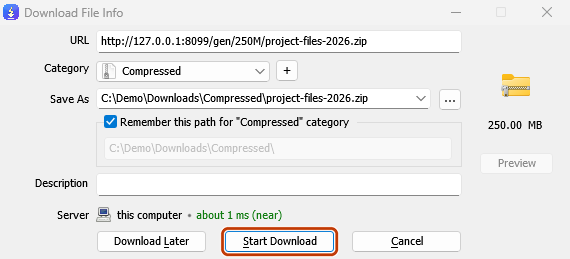
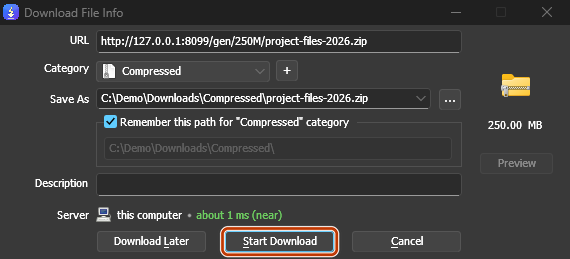
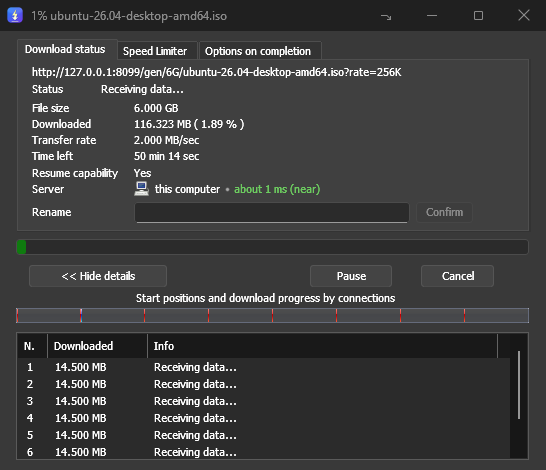
Download starten: Das Fortschrittsfenster zeigt den laufenden Download an. 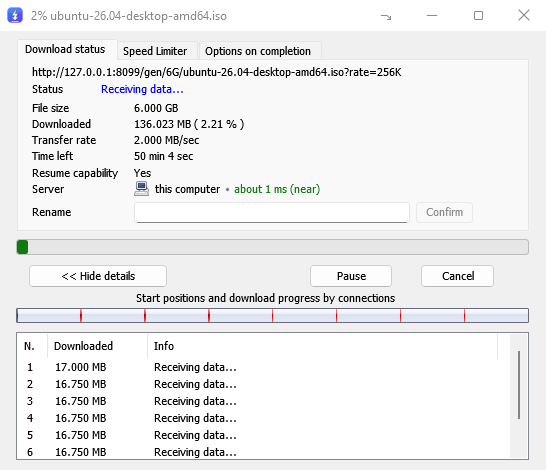
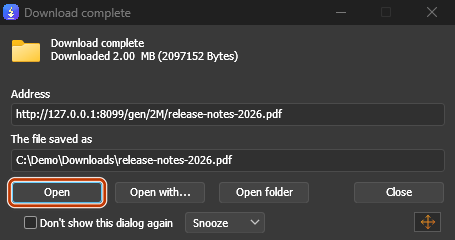
Download abgeschlossen: Datei öffnen oder Ordner öffnen. 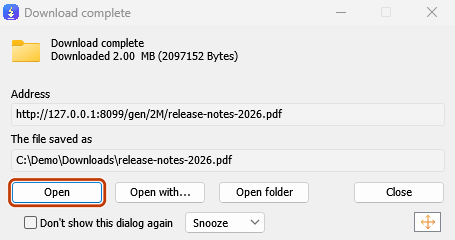
In Firefox
- Open the add-on's page on addons.mozilla.org, Volt Download Manager, and click Add to Firefox. Zen and LibreWolf use the same page.
- Firefox bittet um Bestätigung: Klicken Sie auf Hinzufügen. Firefox hält das Add-on auf dem neuesten Stand.
- Go to a web page and click a download link, for example a ZIP or an EXE: VDM opens Download File Info. Click Start Download.
In Chrome, Edge, Brave, Opera oder Vivaldi
- Open the extension's page in the Chrome Web Store, Volt Download Manager, and click Add to Chrome. In Edge the button is Get, and Edge first asks to Allow extensions from other stores: click Allow.
- Der Browser bittet um Bestätigung: Klicken Sie auf Erweiterung hinzufügen. Er hält die Erweiterung auf dem neuesten Stand.
- Go to a web page and click a download link, for example a ZIP or an EXE: VDM opens Download File Info. Click Start Download.
Helium installiert sie von derselben Seite, sofern Helium Erweiterungen herunterladen darf: siehe Helium.
Ohne den Store
Wenn ein Browser seinen Store nicht nutzen kann (ein von einer Organisation verwalteter Computer oder ein eigener Build), fügen Sie die Erweiterung manuell hinzu:
- Öffnen Sie die Erweiterungsseite Ihres Browsers: Geben Sie
chrome://extensions,edge://extensionsoderbrave://extensionsin die Adressleiste ein. - Aktivieren Sie den Entwicklermodus.
- Klicken Sie auf Entpackte Erweiterung laden.
- Choose the
extension\chromiumfolder inside VDM's folder. If you installed VDM for yourself, that is%LOCALAPPDATA%\Programs\Volt Download Manager\extension\chromium; you can paste that path into the folder box. - Volt Download Manager appears. Make sure it is turned on.
- Gehen Sie zu einer Webseite und klicken Sie auf einen Download-Link, zum Beispiel eine ZIP- oder eine EXE-Datei.
- VDM opens Download File Info instead of the browser downloading the file. Click Start Download.
You don't need to start VDM first: if it isn't running, it starts by itself.
Choose what VDM takes
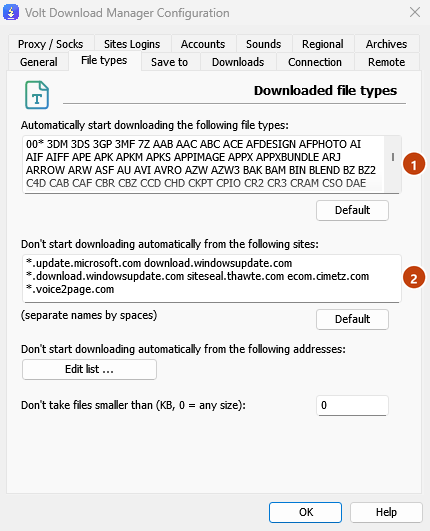
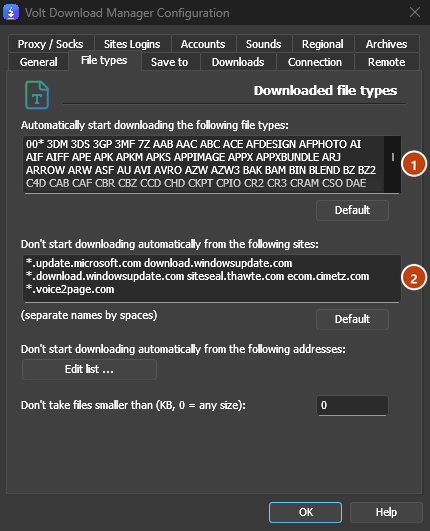
- Welche Dateitypen: Optionen → Dateitypen → Folgende Dateitypen automatisch herunterladen. Fügen Sie Typen hinzu oder entfernen Sie sie, durch Leerzeichen getrennt.
- Seiten, die ignoriert werden sollen: Optionen → Dateitypen → Downloads von folgenden Seiten nicht automatisch starten. Fügen Sie den Namen der Seite hinzu, zum Beispiel
example.com: Dies gilt fürwww.example.comund die anderen Subdomains der Seite sowie für Dateien, auf die von den Seiten auf einem anderen Server verlinkt wird. - One browser only: Options → General → Capture downloads from the following browsers. Untick the ones VDM should leave alone.
Everything VDM doesn't take stays with the browser.
Einen Link herunterladen, den der Browser öffnen würde
Links to a PDF or a video file, which the browser would open itself, go to VDM too when their type is listed. To leave one to the browser, hold Alt while clicking it: the browser opens it as a plain click would. Any other link: right-click it and choose Download with Volt Download Manager, which takes any type.
Nächste Schritte
- Browser-Integration im Detail (Firefox, private Fenster, was gesendet wird) →
- Wenn der Browser keine Downloads übergibt →
- Über Nacht herunterladen →
Kostenlos, Open Source, keine Werbung, keine Testversion.
Download Volt Download Manager