

Set up the extension once, and every download link you click in Firefox, Chrome, Edge, Brave, Opera, Vivaldi or Helium goes to VDM.
Avant de commencer
On Windows, VDM must be installed with the setup, with Set up browser integration (Chrome, Edge, Brave, Firefox) ticked. It is ticked by default. If you're not sure, run the setup again. A portable copy can't do this. On Linux and macOS, start VDM once: it sets browser integration up itself.
VDM's Add Volt Download Manager to your browser window, which opens at each start until a browser's extension has reached VDM, does the steps below for you: Add the extension opens the store's page in that browser.
Une fois l’intégration configurée, un lien de téléchargement suit ce parcours :
Click a download link in the browser: Download File Info opens in VDM. 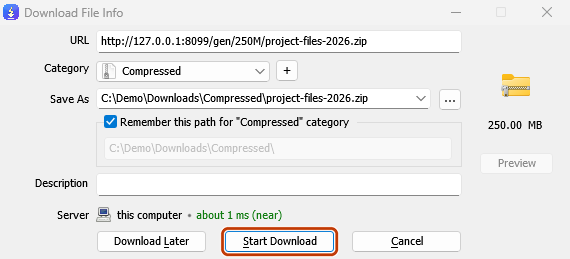
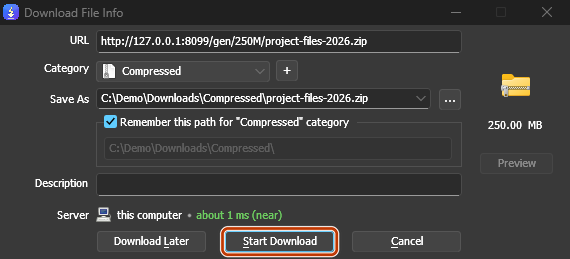
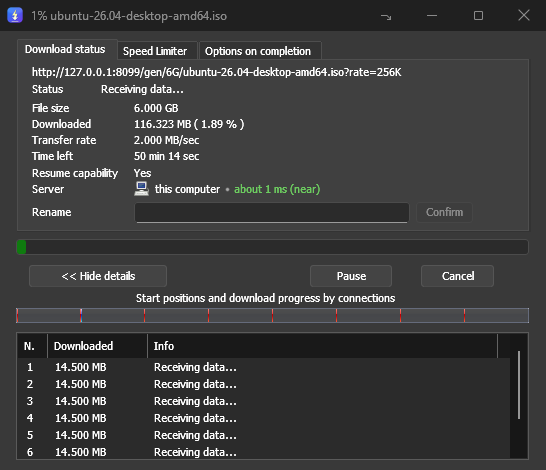
Démarrer le téléchargement : la fenêtre de progression montre le téléchargement en cours. 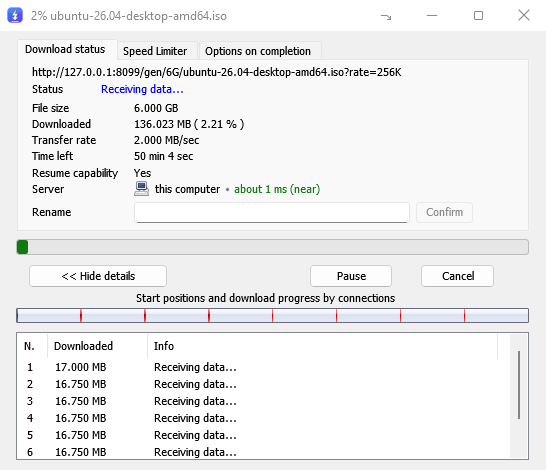
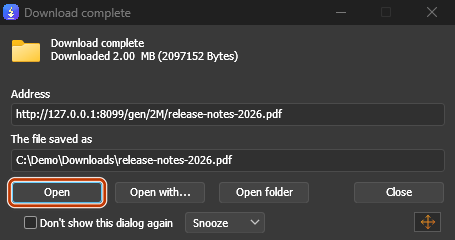
Téléchargement terminé : Ouvrir le fichier, ou Ouvrir le dossier. 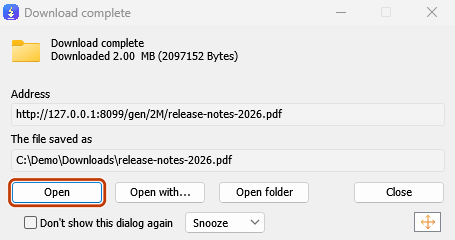
Dans Firefox
- Open the add-on's page on addons.mozilla.org, Volt Download Manager, and click Add to Firefox. Zen and LibreWolf use the same page.
- Firefox vous demande de confirmer l’ajout : cliquez sur Ajouter. Firefox met l’extension à jour automatiquement.
- Go to a web page and click a download link, for example a ZIP or an EXE: VDM opens Download File Info. Click Start Download.
Dans Chrome, Edge, Brave, Opera ou Vivaldi
- Open the extension's page in the Chrome Web Store, Volt Download Manager, and click Add to Chrome. In Edge the button is Get, and Edge first asks to Allow extensions from other stores: click Allow.
- Le navigateur vous demande de confirmer l’ajout : cliquez sur Ajouter l’extension. Il met l’extension à jour automatiquement.
- Go to a web page and click a download link, for example a ZIP or an EXE: VDM opens Download File Info. Click Start Download.
Helium l’installe depuis la même page, à condition qu’Helium puisse télécharger des extensions : voir Helium.
Sans passer par le magasin
Lorsqu'un navigateur ne peut pas utiliser son magasin (un ordinateur géré par une organisation, ou une version que vous avez compilée), ajoutez l'extension manuellement :
- Ouvrez la page des extensions de votre navigateur : saisissez
chrome://extensions,edge://extensionsoubrave://extensionsdans la barre d’adresse. - Activez le Mode développeur.
- Cliquez sur Charger l’extension non empaquetée.
- Choose the
extension\chromiumfolder inside VDM's folder. If you installed VDM for yourself, that is%LOCALAPPDATA%\Programs\Volt Download Manager\extension\chromium; you can paste that path into the folder box. - Volt Download Manager appears. Make sure it is turned on.
- Allez sur une page web et cliquez sur un lien de téléchargement, par exemple un ZIP ou un EXE.
- VDM opens Download File Info instead of the browser downloading the file. Click Start Download.
You don't need to start VDM first: if it isn't running, it starts by itself.
Choose what VDM takes
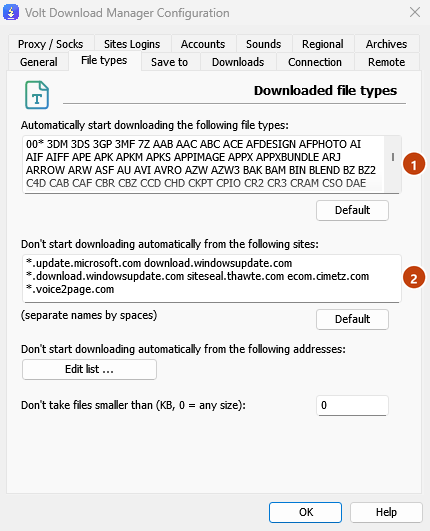
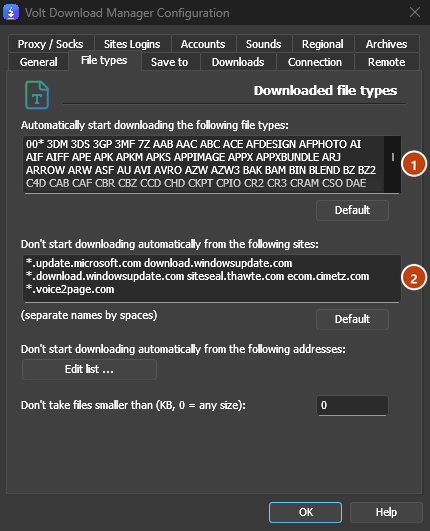
- Types de fichiers : Options → Types de fichiers → Démarrer automatiquement le téléchargement des types de fichiers suivants. Ajoutez ou supprimez des extensions, séparées par des espaces.
- Sites à ignorer : Options → Types de fichiers → Ne pas démarrer automatiquement le téléchargement depuis les sites suivants. Ajoutez le nom du site, par exemple
example.com: cela couvrewww.example.comet les autres sous-domaines du site, ainsi que les fichiers liés depuis ses pages sur un autre serveur. - One browser only: Options → General → Capture downloads from the following browsers. Untick the ones VDM should leave alone.
Everything VDM doesn't take stays with the browser.
Télécharger un lien que le navigateur ouvrirait
Links to a PDF or a video file, which the browser would open itself, go to VDM too when their type is listed. To leave one to the browser, hold Alt while clicking it: the browser opens it as a plain click would. Any other link: right-click it and choose Download with Volt Download Manager, which takes any type.
Étapes suivantes
- Détails sur l’intégration du navigateur (Firefox, fenêtres privées, données envoyées) →
- Si le navigateur ne transmet pas les téléchargements →
- Télécharger pendant la nuit →
Gratuit, open source, sans publicité ni période d’essai.
Download Volt Download Manager